
How to Practice English Speaking on a Video Call: Apps, Tips & First-Call Scripts (2026)
There's a moment every English learner has to reach: turning on the camera. Text is safe, you can edit, translate, take your time. Voice messages let you re-record until it's perfect. But a live video call is different. A real face, in real time, with no second takes. It's the moment your English stops being something you study and becomes something you do.
It's also the moment most learners avoid for years. So let's make it less scary. This is a practical, step-by-step guide to practicing English on a video call, where to find people to talk to, exactly what to say when the call connects, and how to get through the first few minutes without your mind going blank.
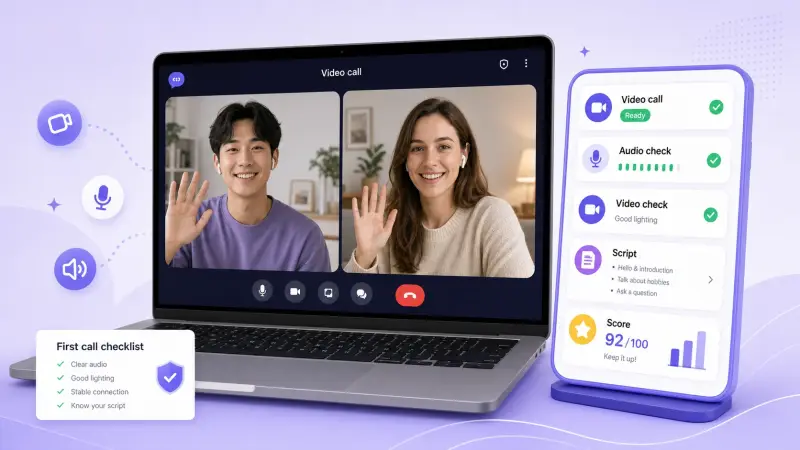
Why a video call is the breakthrough rep
You can build a lot of skill alone and with AI. But a video call trains things nothing else can:
- Real-time pressure. There's no pause button. You have to understand, think, and respond in the moment, the exact skill that's missing when you "freeze."
- The whole signal. On video you see facial expressions, gestures, and lip movement. That context makes the conversation easier to follow and teaches you how native speakers actually communicate, not just what they say.
- Accountability. A scheduled call with a real person is a commitment you'll actually keep, unlike "I'll practice later."
- Proof you can do it. The first time you finish a 15-minute English video call, something shifts. The fear that's held you back for years turns out to be smaller than you thought.
If you can already handle text and voice messages, the video call is the next, and biggest, step up. (Not there yet? Build the foundation first with our pillar guide on how to practice English speaking without a teacher.)
Where to find people to video call in English
You don't need friends abroad or an expensive school. There are three routes, each suited to a different need.
Route 1: Language exchange partners (free, low pressure)
The friendliest way to start. On a language exchange app, you're matched with native English speakers who are learning your language, so you help each other and nobody pays. The pressure is low because your partner is also a nervous learner.
This is HelloTalk's core strength. With 70M+ registered users across 200+ countries, it gives you a large pool of native English speakers to call. The reason it works so well for video specifically is that it doesn't throw you on camera cold, you build up to it: start with text, move to voice messages, join Voicerooms for group speaking, and switch to a one-on-one video call only when you're ready. By then you already know your partner, so the call feels like talking to a friend, not sitting an exam. (We wrote a step-by-step walkthrough of this in how to use HelloTalk's video chat to practice speaking English.) Speaky is a simpler free exchange app and a reasonable second option.
Best when: you want free, relaxed, repeatable practice and don't need formal teaching.
Route 2: On-demand and booked tutors (paid, structured)
If you'd rather have a real teacher steer the call, tutor apps put one on video for you. Cambly connects you to a native tutor over live video instantly, tap and you're talking within seconds, with every call recorded for review. italki and Preply let you book lessons with professional or community tutors, which is better when you want a plan and progress tracking rather than casual chat.
Best when: you'll pay for guided practice, correction, and a clear curriculum, useful for exams or job interviews.
Route 3: AI video partners (instant, zero judgment)
If talking to a real human still feels like too much, AI is closing the gap fast. Duolingo's Video Call feature and avatar-based apps like Praktika simulate a face-to-face conversation with no real person watching, perfect for rehearsing before you talk to someone real.
Best when: you want to practice the format of a video conversation with the stakes set to zero. For the full set of AI options, see our guide to the best AI English speaking apps.
The smart path: rehearse with an AI partner, then do relaxed exchange calls on HelloTalk, then add paid tutor sessions if you want focused feedback. Most learners never need to pay at all.
How to prepare for your first English video call
Five minutes of prep removes most of the fear:
- Pick a topic in advance. Don't rely on improvising. Choose something you genuinely care about, your job, a hobby, a show, so you'll never run out of things to say.
- Write 3-4 questions to ask. Questions take the pressure off you and keep the conversation moving. "What's your hometown like?" "How did you start learning my language?"
- Prepare a few "rescue" phrases (more below) so a blank moment doesn't end the call.
- Test your setup. Camera, mic, and a quiet, well-lit spot. Technical fumbling adds stress you don't need.
- Set a small goal. Not "speak perfectly", just "stay on the call for 10 minutes" or "ask three questions." Small wins build confidence.
What to say: a script for your first call
The hardest part is the first 60 seconds. Have these ready and you'll glide through them.
Opening:
"Hi! It's really nice to meet you. Thanks for taking the time, I'm a bit nervous because I don't get to practice speaking much, so bear with me!"
Naming your nerves out loud instantly relaxes both of you. Then hand them an easy question:
"So, how was your day? … And how long have you been learning [your language]?"
When you don't understand:
"Sorry, could you say that again more slowly?" / "What does ___ mean?" / "How do you spell that?"
When you can't find a word:
"How do I say… it's the thing you use to…", describe it. Native speakers love helping, and working around a missing word is itself a core fluency skill.
Closing:
"This was really fun, thank you! Same time next week?"
Asking for the next call turns one rep into a habit.
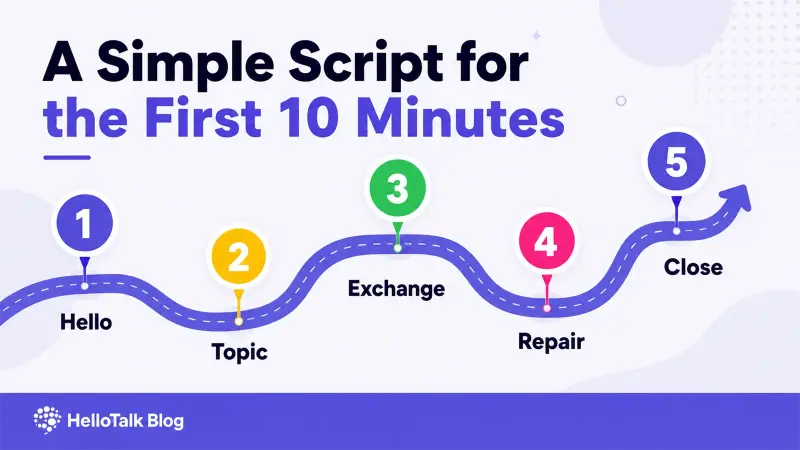
How to run a great practice call
A loose structure beats winging it:
- Warm up (2-3 min): greetings, how-are-you, easy small talk. Let your ear adjust.
- Main topic (10-15 min): your prepared subject. Take turns, share, then ask them back. Aim for a real exchange, not a Q&A interrogation.
- Feedback (last 5 min): ask "Did I make any mistakes I should fix?" In an exchange, swap languages for the second half so you both get to teach.
- After the call: jot down 3 words or phrases you got stuck on, and look them up. That's tomorrow's vocabulary, found in a real moment, so it sticks.
How to beat camera nerves
- Start with audio, switch to video later. Many apps let you do a voice call first; flip the camera on once you're comfortable. HelloTalk's text, then voice, then video ladder is built for exactly this gradual build-up.
- Rehearse the call with AI first. Run your prepared topic with an AI partner so the words are already warm in your mouth.
- Remember the other person is rooting for you. In a language exchange, they're about to stumble through your language next. There's no judge on the call, just two people being brave together.
Mistakes that make video practice harder than it needs to be
- Starting with a live video call before you're ready. Climb the ladder: text, then voice message, then voice call, then video. Skipping steps is why people panic and quit.
- Treating the camera like a test. It's practice. Mistakes are the point, not a failure.
- No topic, no questions. Silence kills calls. Two minutes of prep prevents the dreaded blank.
- Doing it once and disappearing. One call won't transform you. Book the next one before you hang up, even one short video chat a week dramatically speeds up fluency.
- Only ever using a tutor. Paid lessons are great, but free exchange calls give you the volume of practice that actually builds fluency. Use both.
FAQ
What's the best app to practice English speaking on a video call for free? For free, relaxed practice with native speakers, a language exchange app like HelloTalk is the best starting point, you video-call partners who are learning your language at no cost. Speaky is a free alternative. Tutor apps (Cambly, italki, Preply) offer video too, but they're paid.
I'm too nervous to video-call a stranger. How do I start? Don't start with video. Use an app with a gradual ramp, go text, then voice message, then voice call, then video, so by the time the camera comes on, you already know your partner. Rehearsing the conversation with an AI speaking app first helps too.
Is a video call really better than a voice-only call for practice? For fluency, yes. Seeing facial expressions, gestures, and lip movement adds context that makes conversation easier to follow and far more natural, it's the closest thing to talking in person.
Should I use a language partner or a paid tutor? A free language partner is ideal for relaxed, high-volume, confidence-building practice; a paid tutor is better for structured feedback and specific goals like an exam. Many learners use both. For dialogue-focused options, see our best English conversation apps guide.
How often should I do English video calls? Even one 15-20 minute call a week, on top of daily solo and AI practice, accelerates fluency noticeably. The video reps are where the biggest breakthroughs happen, so protect them on your calendar.
What if my internet or English breaks down mid-call? Keep a few rescue phrases ready ("Could you repeat that?", "Let me think for a second") and don't apologize endlessly, pauses and hiccups are normal, even between native speakers. Finishing an imperfect call is a win.
Turn on the camera today
The video call is the moment your English becomes real, and you don't have to pay for it or do it cold. Build up through text and voice, prepare a topic and a few questions, and let yourself be imperfect. That single 15-minute call will teach you more than a week of silent study.
When you're ready, HelloTalk walks you from your first text to a face-to-face conversation with a native speaker who's just as eager to learn your language. Warm up in text, find your voice in messages, then turn on the camera, and find out the fear was smaller than you thought.