
Privacy
How do I turn off "Find me by HelloTalk ID"?
-
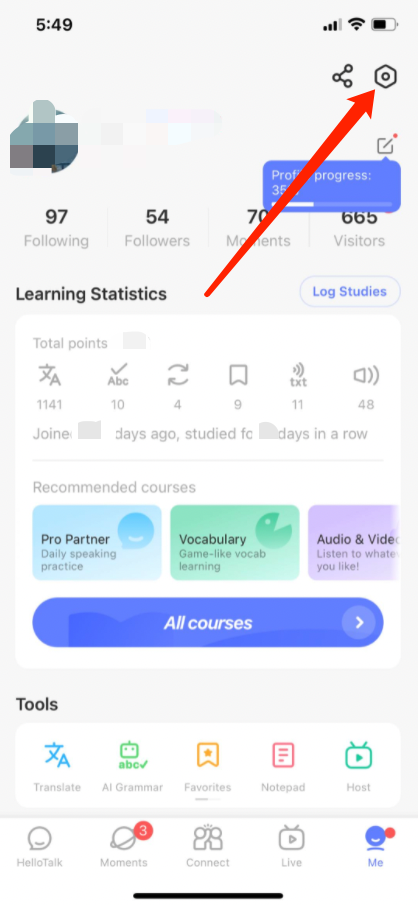
Go to the "Me" tab to view your profile
-
Go to "Settings" by tapping the gear icon in the upper-right corner
-
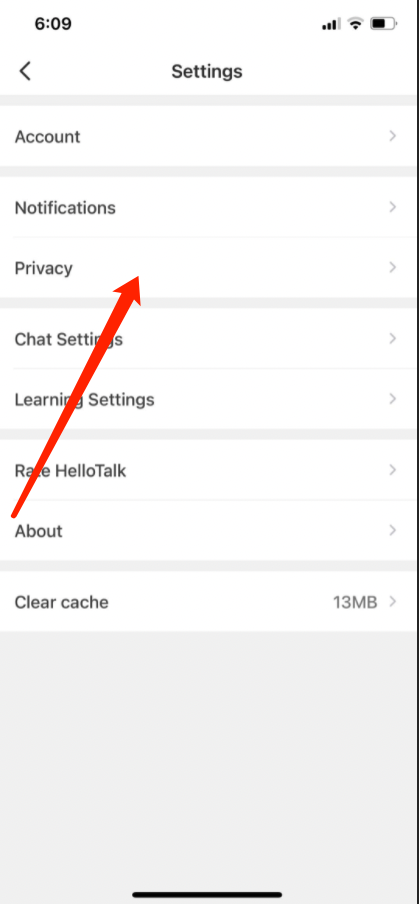
Go to the "Privacy" page
-
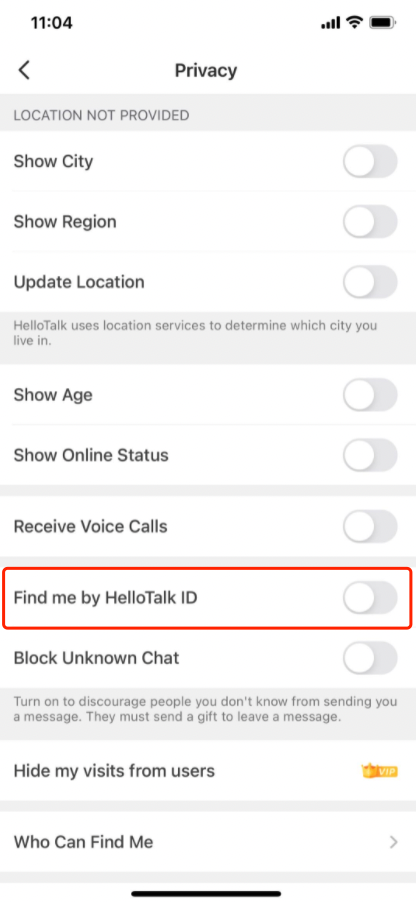
Toggle “Find me by HelloTalk ID" on or off. By turning this off, other members will not be able to find your account by searching for your HelloTalk ID
Related Questions
Last updated on