
Chats Learning Features
How do I change the translation target language?
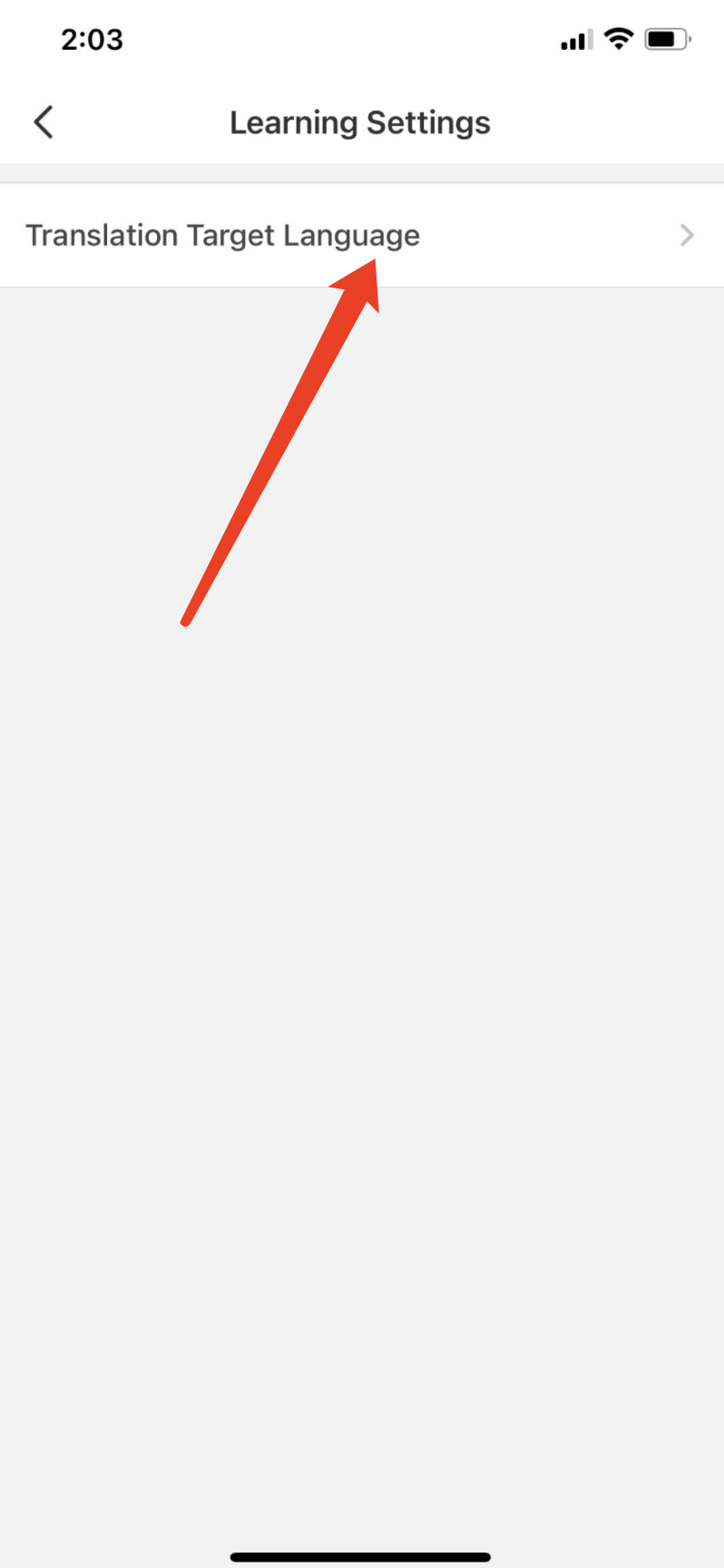
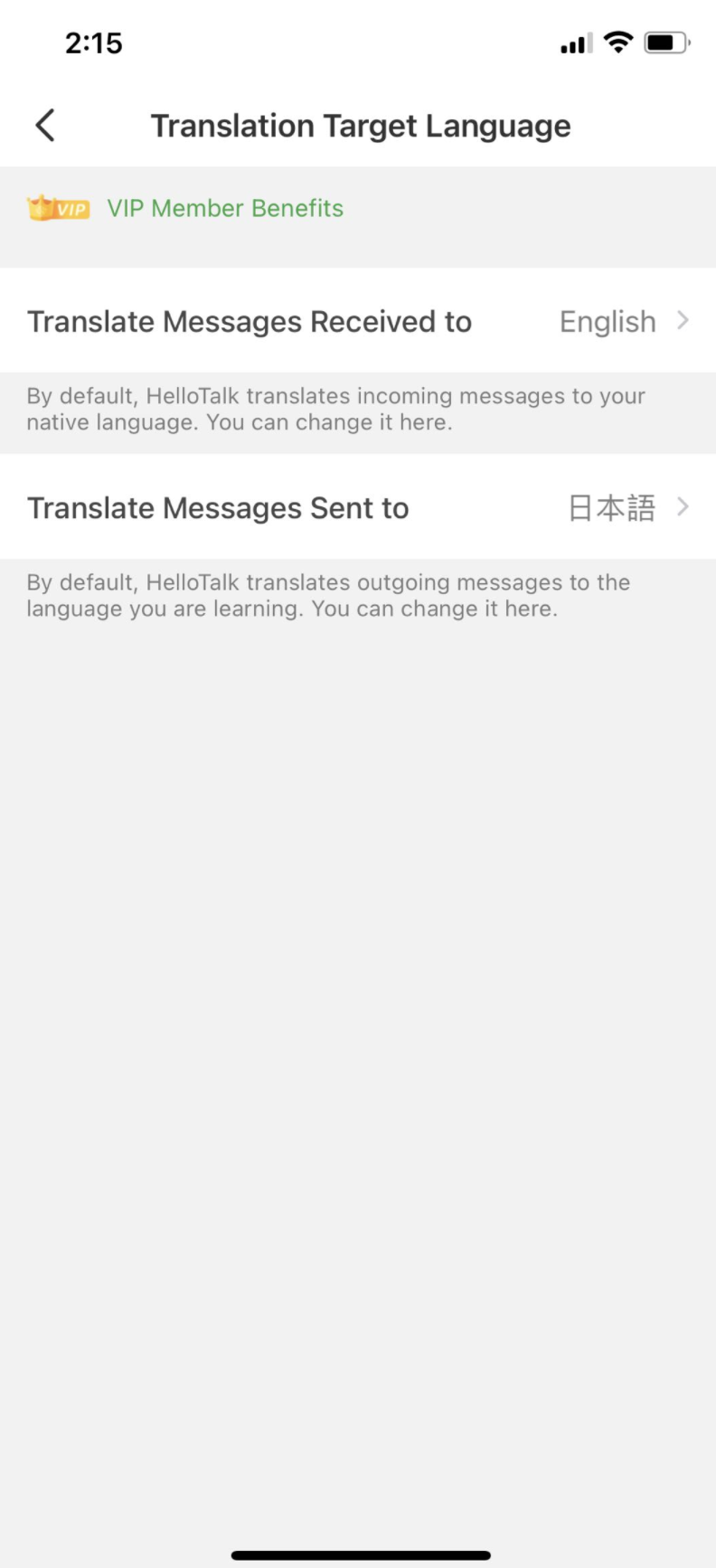
By default, HelloTalk translates received messages into your native language and sent messages into the language you are learning.
- You can follow the steps below to adjust your default translation language:
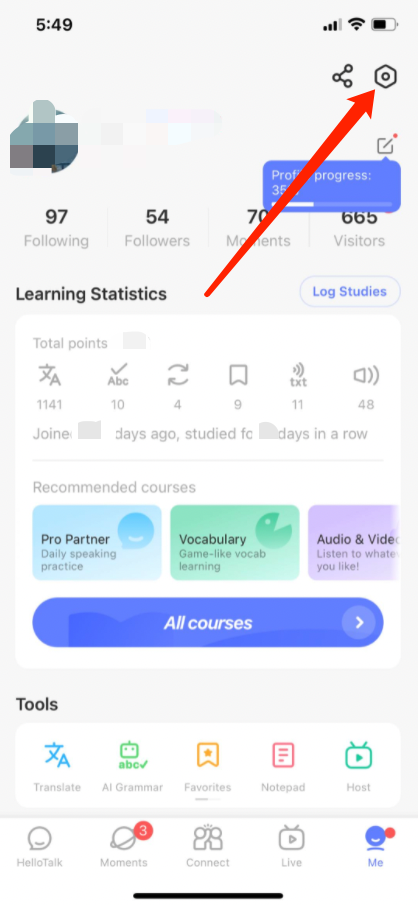
Go to the "Me" tab to view your profile
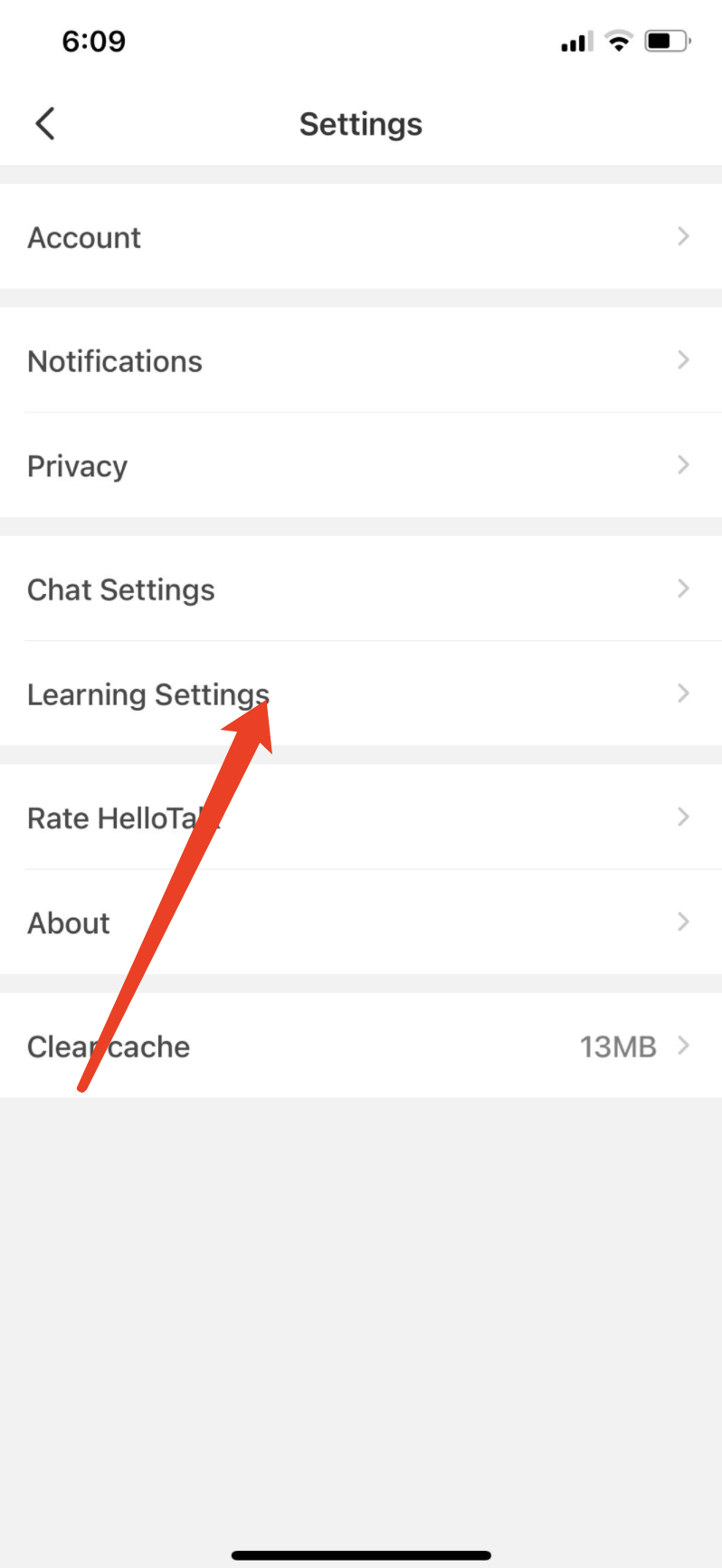
Go to "Settings" by tapping the gear icon in the upper-right corner
Tap "Learning Settings" to change the default translation language
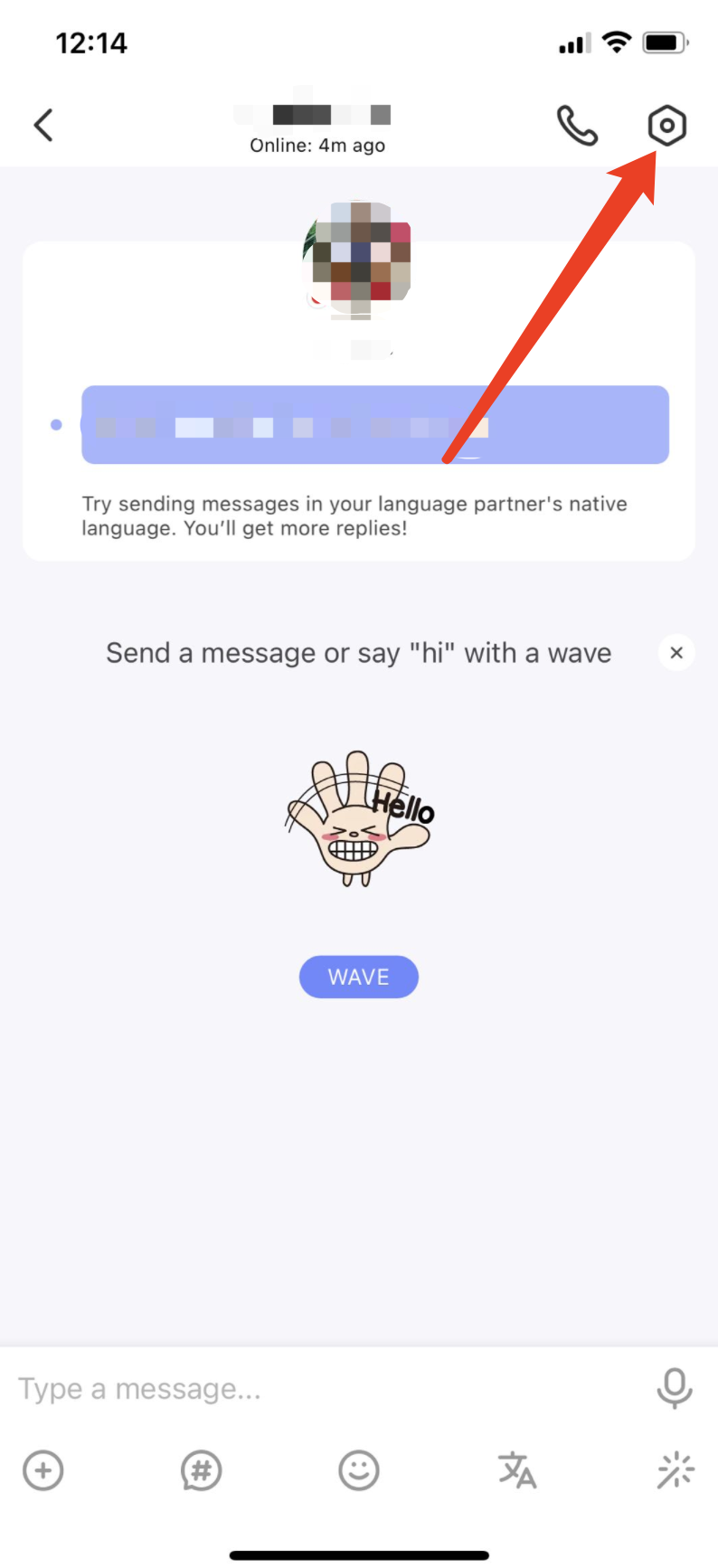
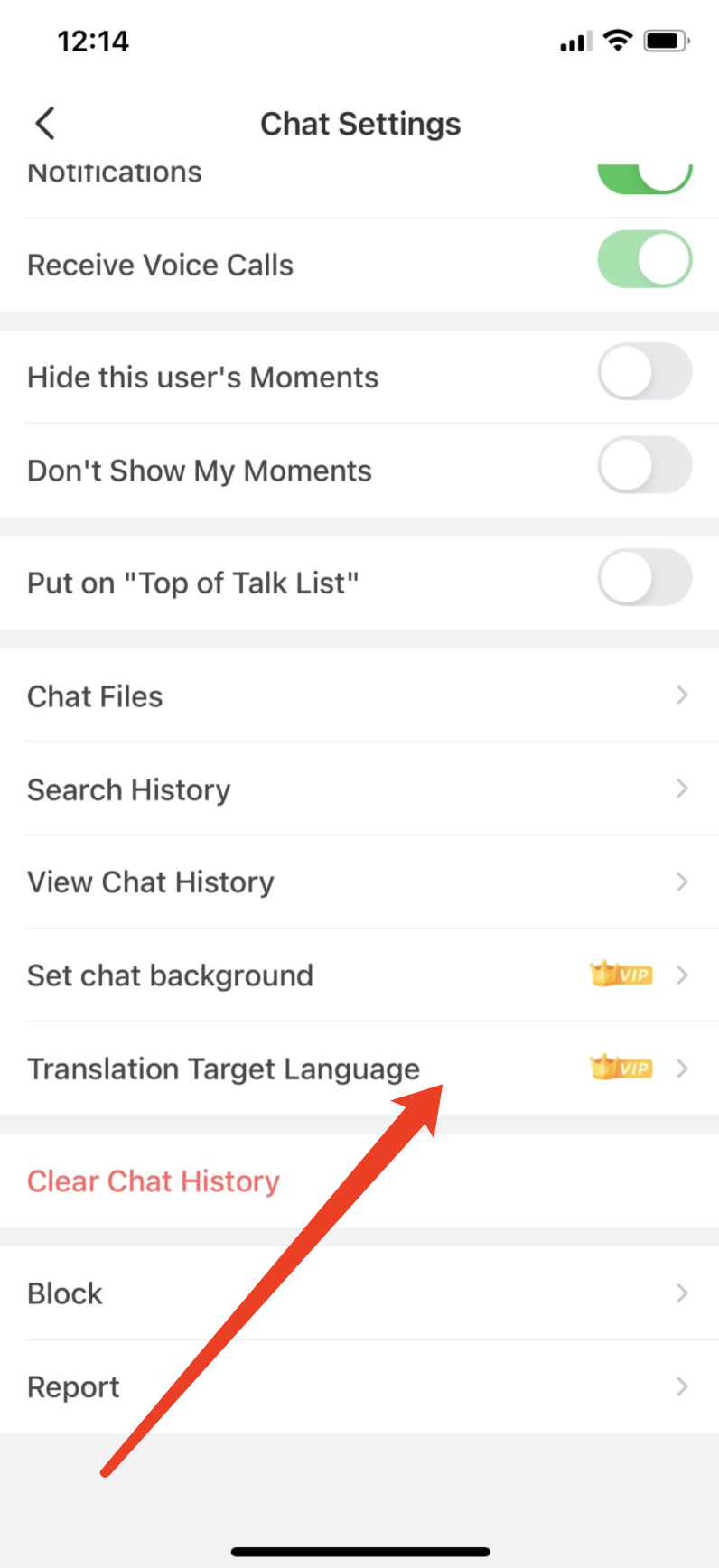
- Please note, VIP members can also set translation language in the chat settings page:
Related Questions
Last updated on