
How do I change the translation target language?
Category: Chats Learning Features
By default, HelloTalk translates received messages into your native language and sent messages into the language you are learning.
1) You can follow the steps below to adjust your default translation language:
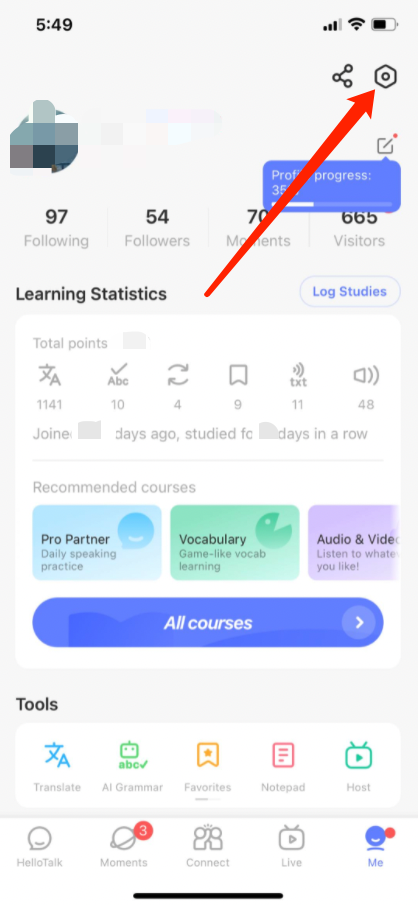
Go to the "Me" tab to view your profile
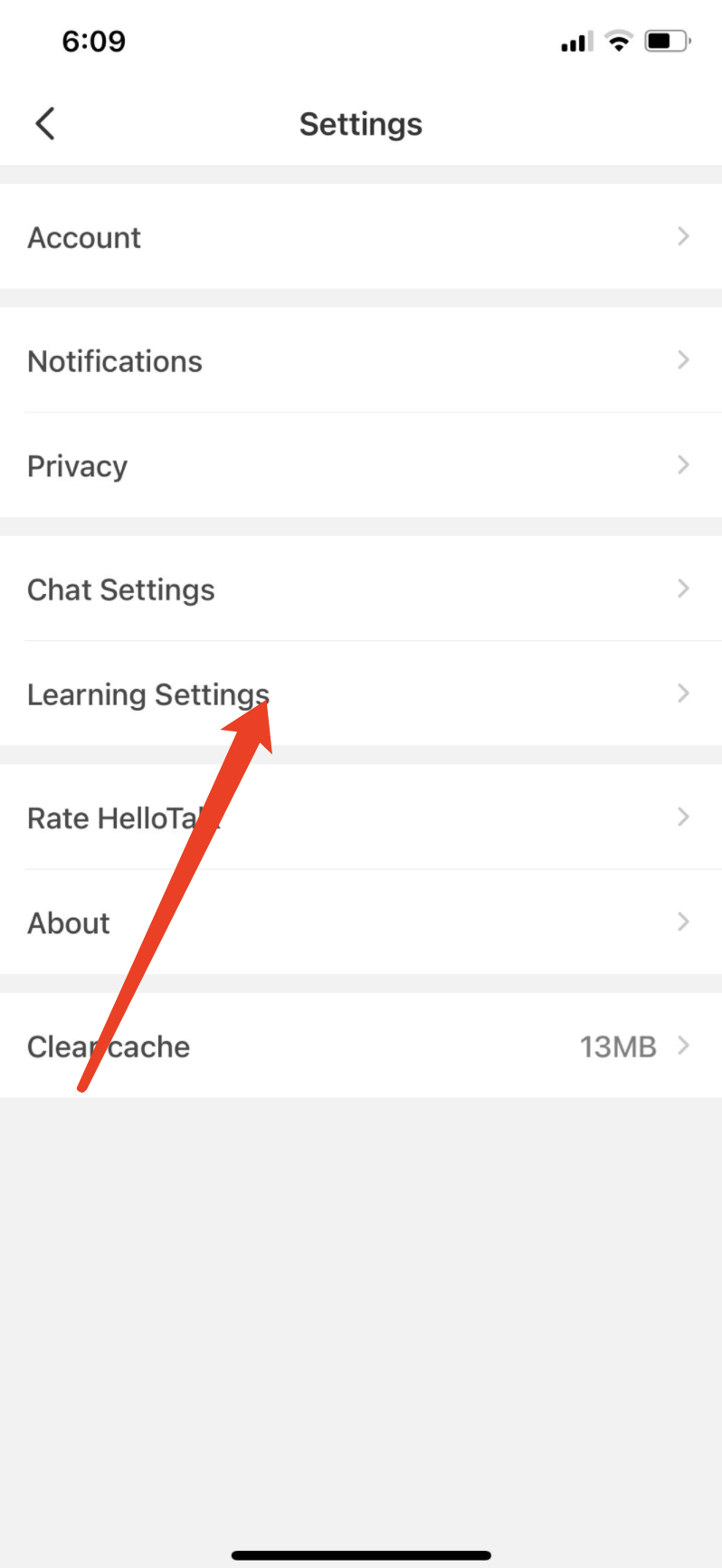
Go to "Settings" by tapping the gear icon in the upper-right corner
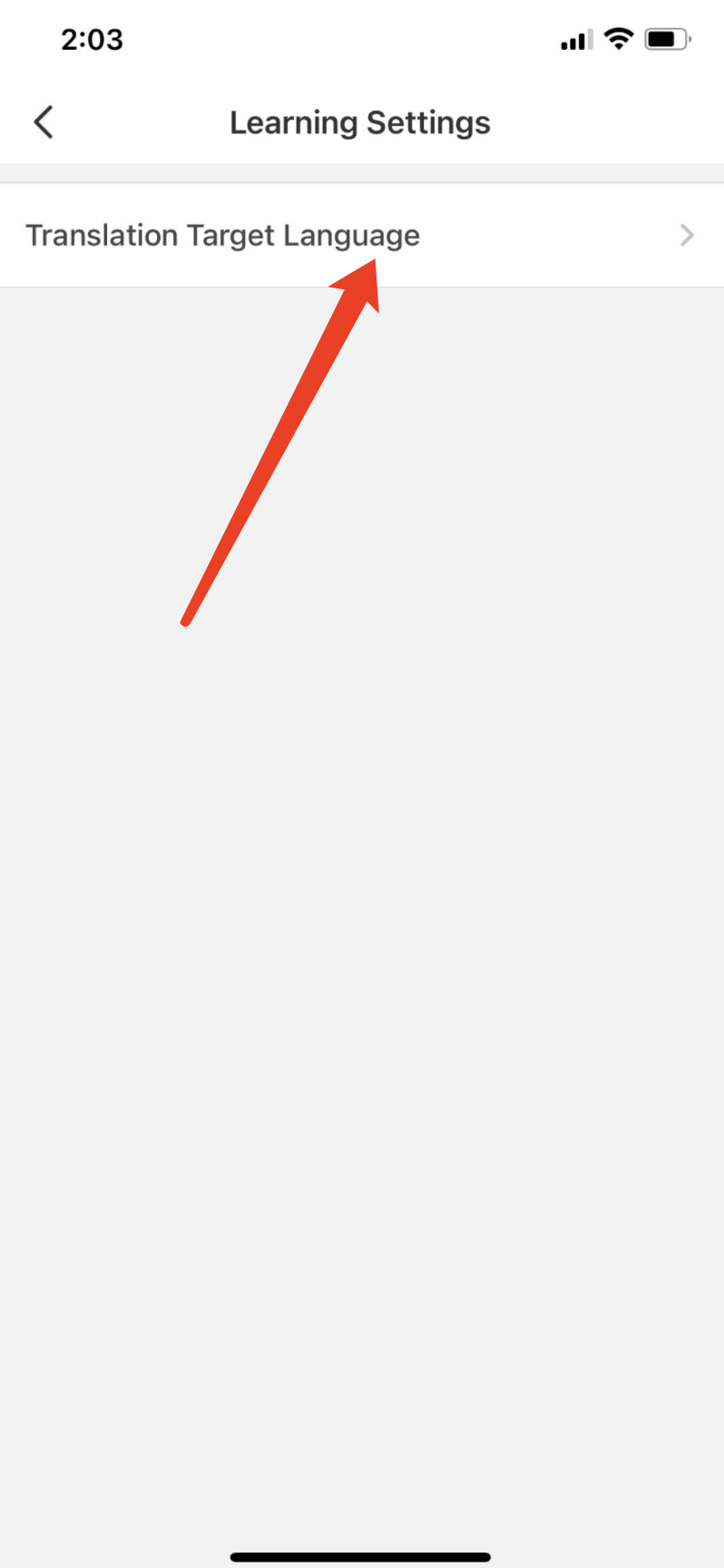
Tap "Learning Settings" to change the default translation language
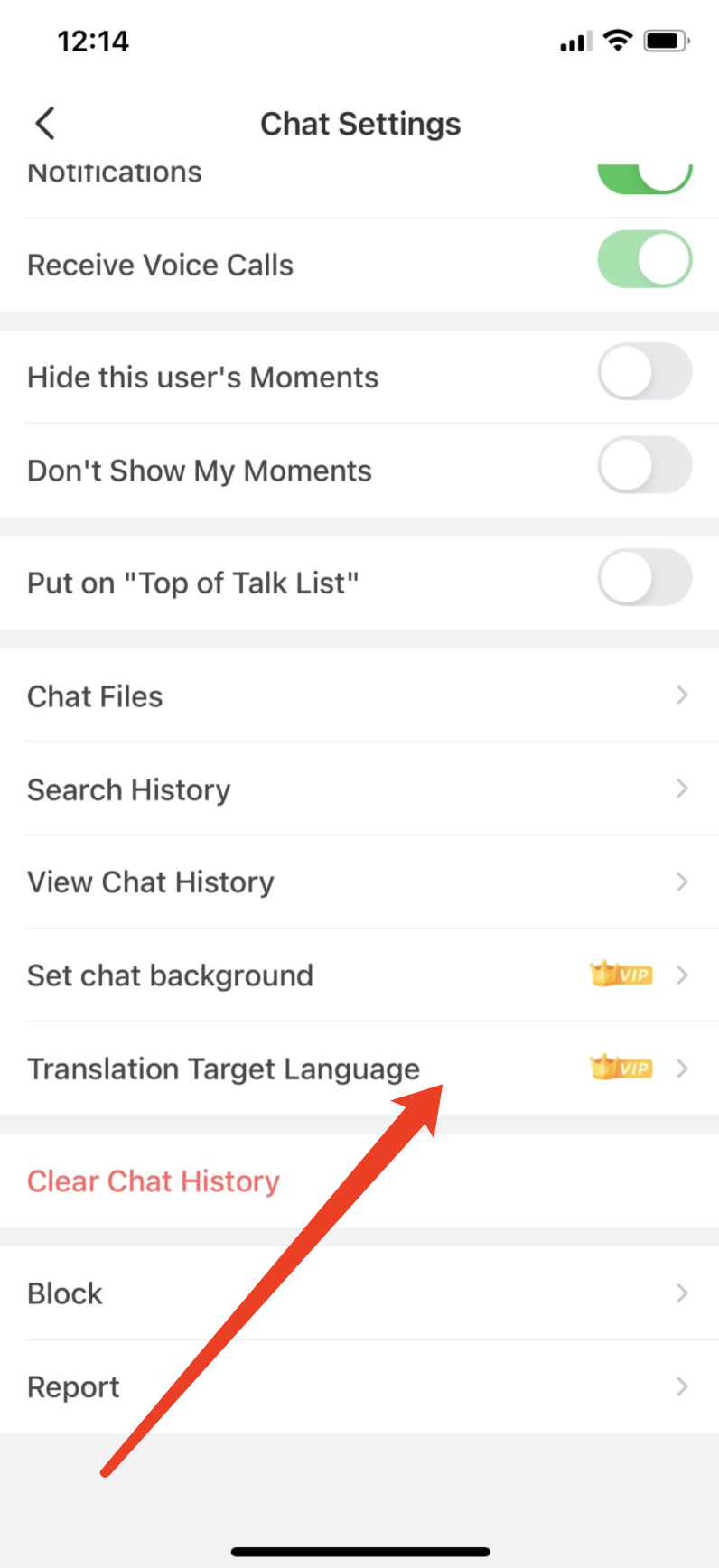
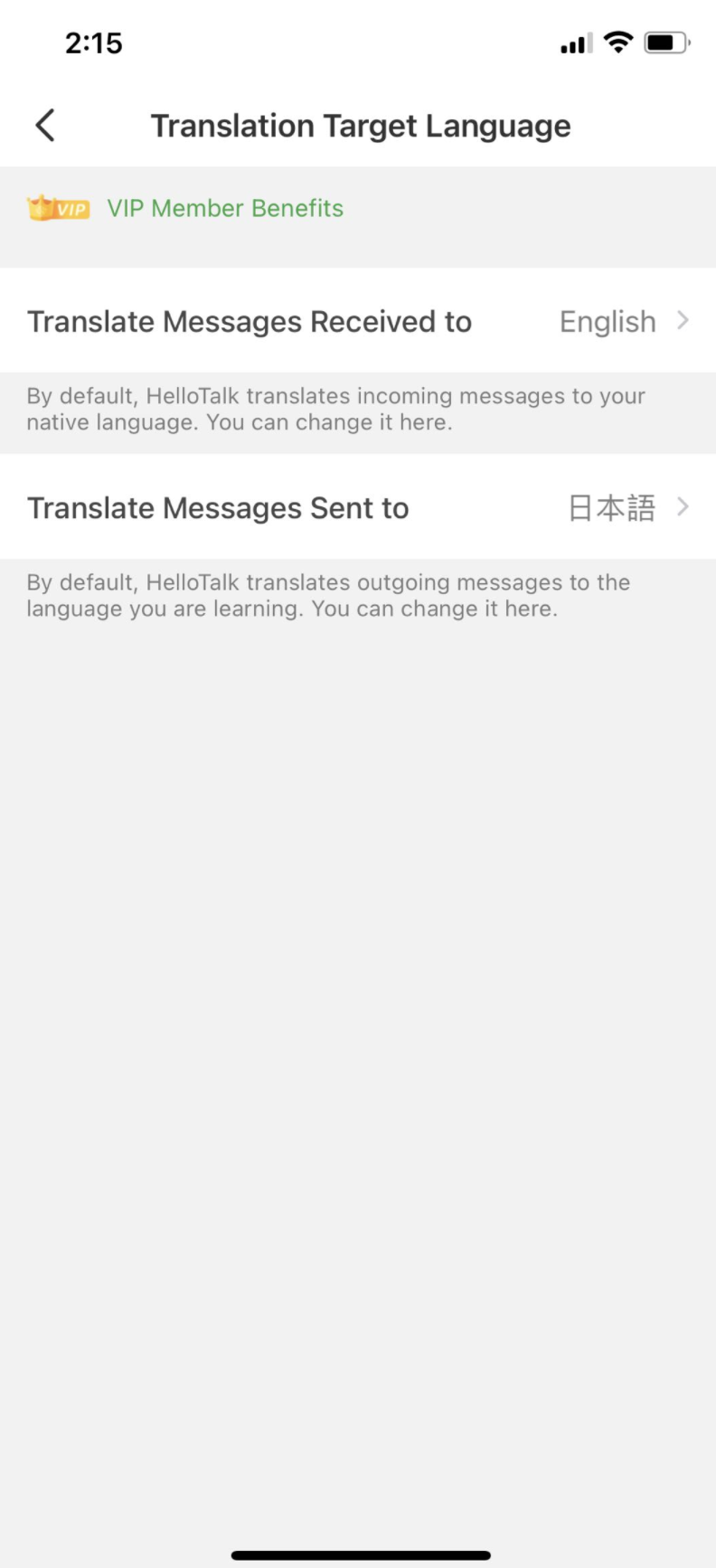
2) Please note, VIP members can also set translation language in the chat settings page: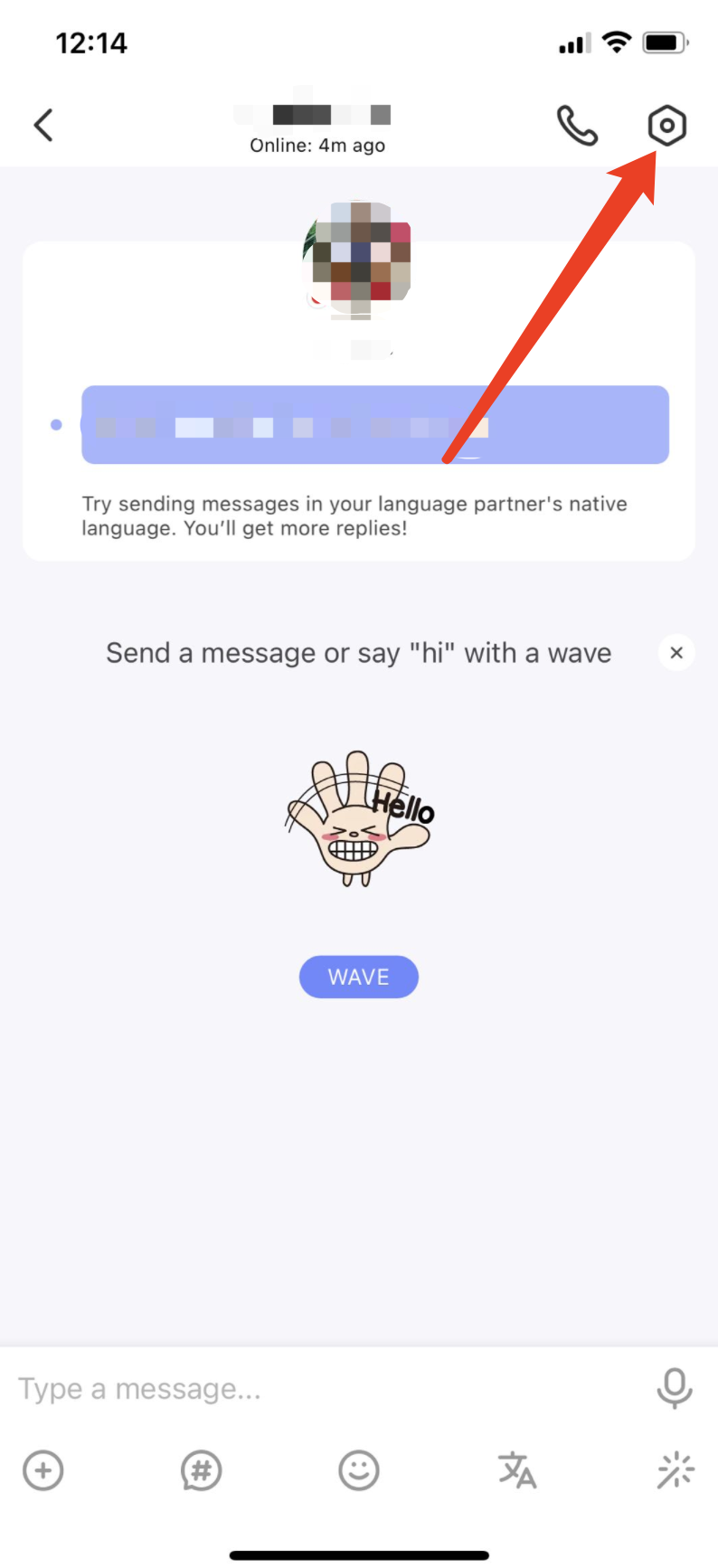
Go to the "Me" tab to view your profile
Go to "Settings" by tapping the gear icon in the upper-right corner
Tap "Learning Settings" to change the default translation language
2) Please note, VIP members can also set translation language in the chat settings page:
⚠️ This content was dynamically fetched from the API and may not include all formatting features.