
Privacy
How can I hide my age, status, or location?
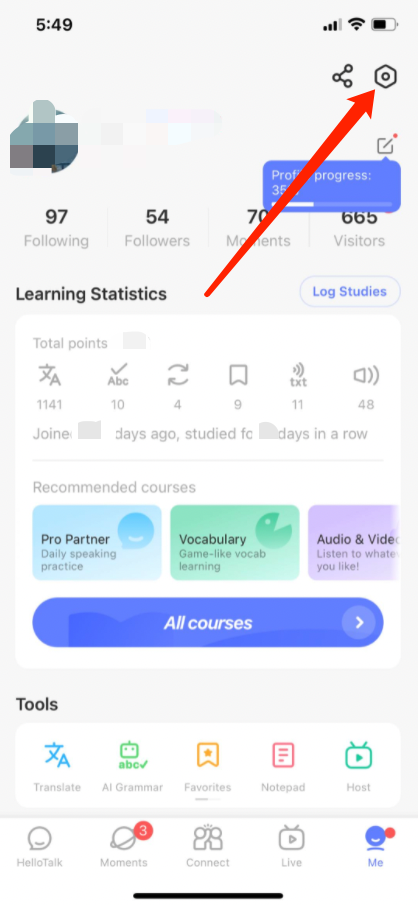
1) Go to the "Me" tab to view your profile
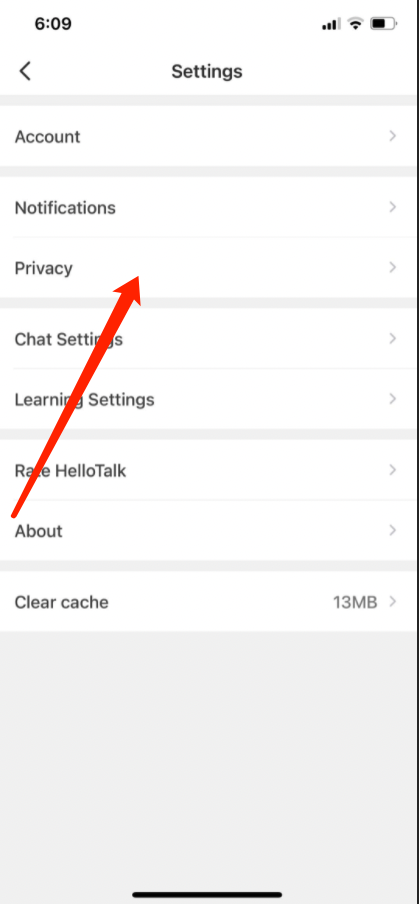
2) Go to "Settings" by tapping the gear icon in the upper-right corner
3) Go to the "Privacy" page
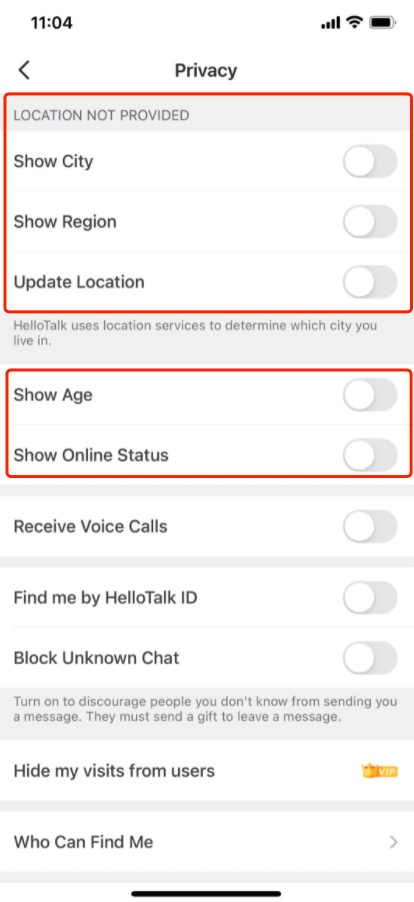
4) You can disable Location info, "Show Age" or "Show Online Status" to hide your age, online status and location.
PS. If you hide your age, online status or location, the opportunities for your account to be displayed will be reduced. For example, if your location is turned off, when others are searching for language partners by location, your account will not appear in the list of search results.
Preguntas relacionadas
Last updated on