
文字サイズを変更するには?
Category: プライバシー
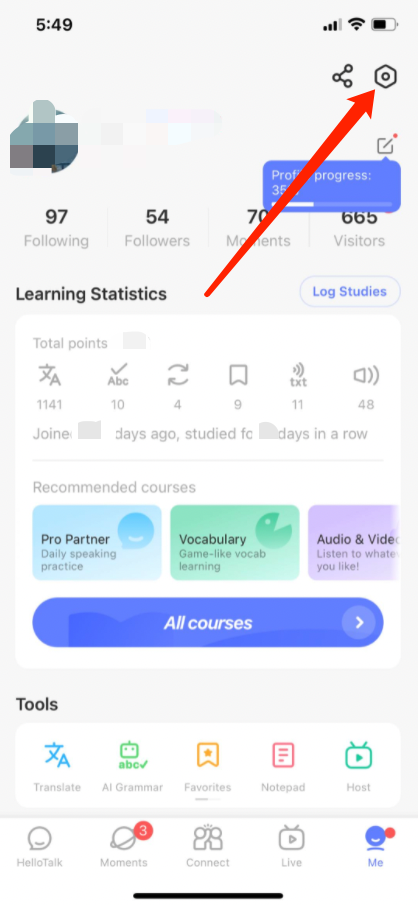
1) 「本人」タブに移動して、プロフィールを表示します
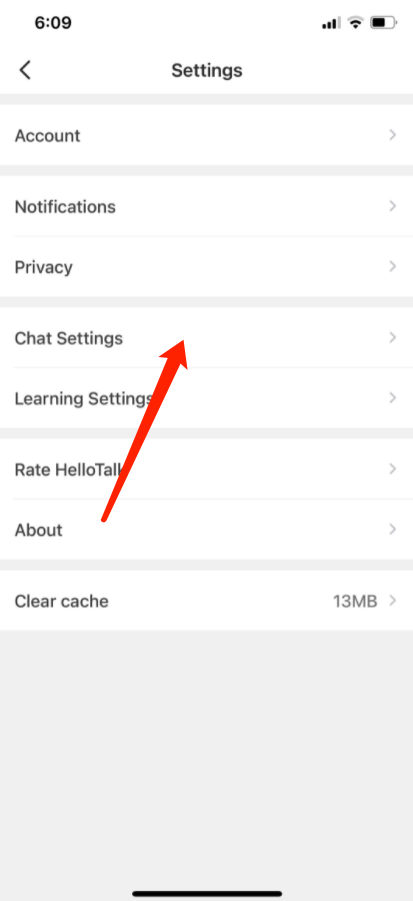
2) 右上隅の歯車アイコンをタップして、「設定」に移動します
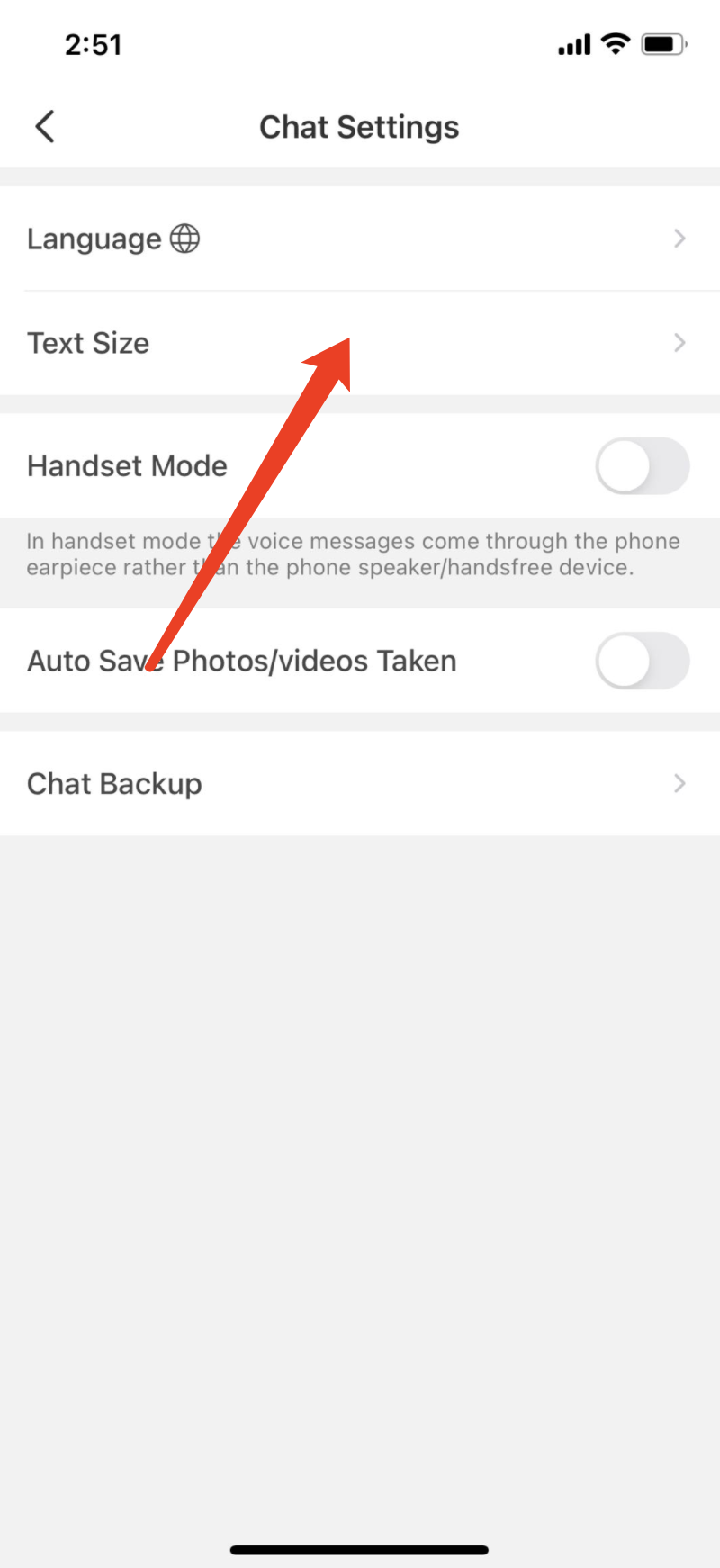
3) 「チャット設定」ページに移動します
4) フォントサイズを調整するために「文字サイズ」をタップします
⚠️ This content was dynamically fetched from the API and may not include all formatting features.