
HelloTalk Basics
How do I pin a chat to the top of my chat list?
Option 1:
-
Android: Tap and hold the chat you want to pin, then tap "Put on Top of Talk List".
-
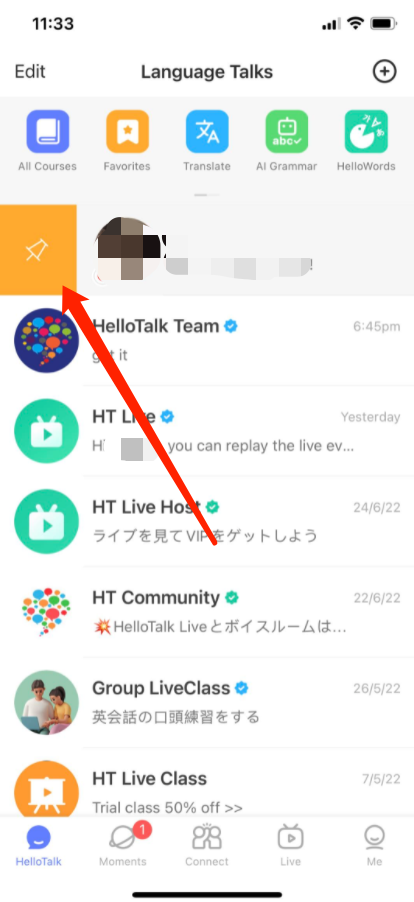
iOS: Select any conversation to swipe left or right from the chat list (iOS) to pin it.
Option 2:
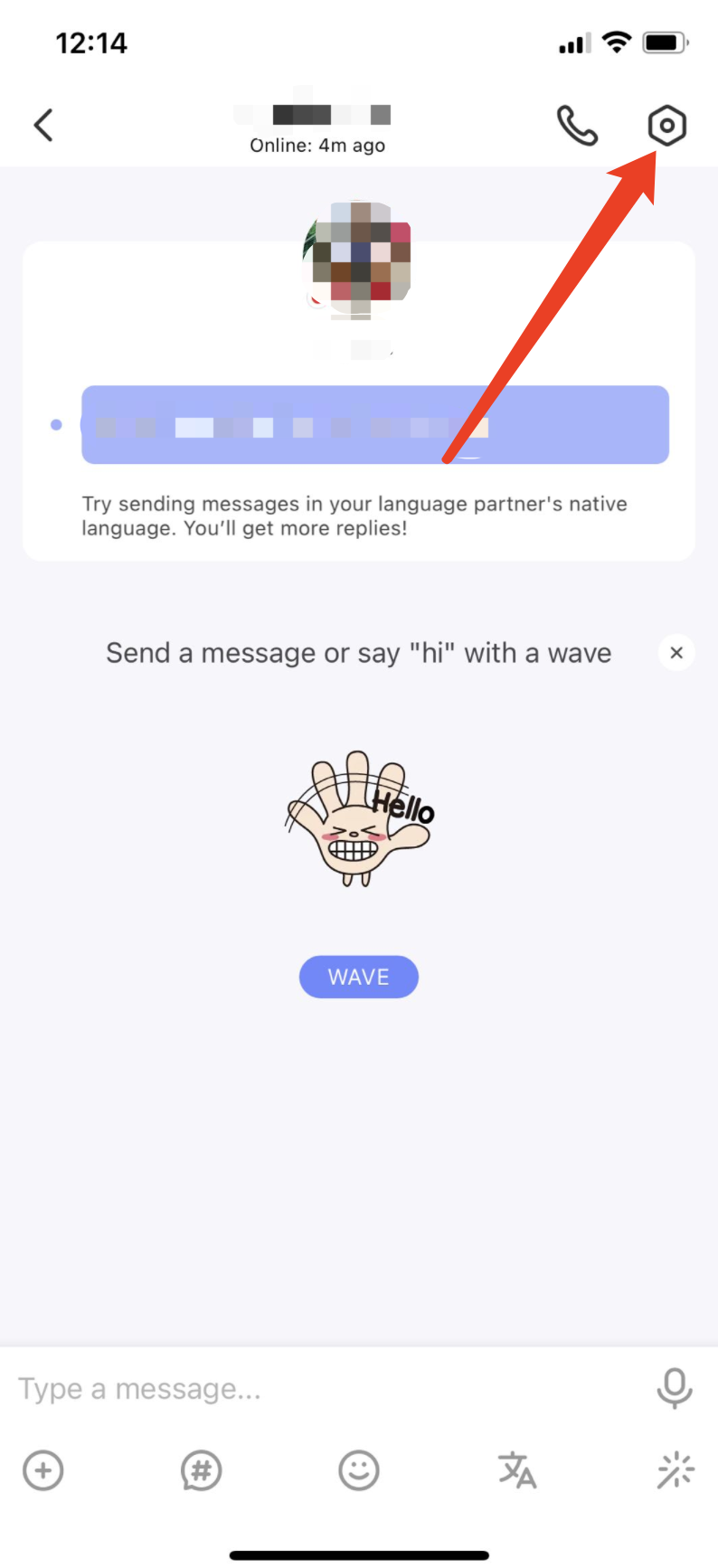
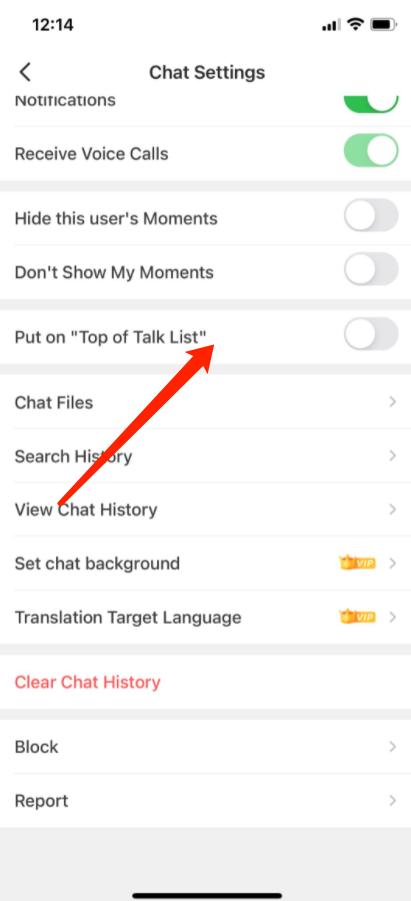
Android and iOS: Tap the "Chat Settings" icon in the upper-right corner of the Chat Window. Toggle "Put on Top of Talk List" on or off to pin the chat to the top of the list.
Mga Kaugnay na Tanong
- →What does the green dot mean next to a member's profile? How do I know if someone is online?
- →What does "My turn" on the Chat list tab mean?
- →How can I find online language partners I have talked to before?
- →How do I know whether my messages have been read or not?
- →What are learning points and how do I get them?
Last updated on