
How do I pin a chat to the top of my chat list?
Category: HelloTalk Basics
Option 1:
1) Android: Tap and hold the chat you want to pin, then tap "Put on Top of Talk List".
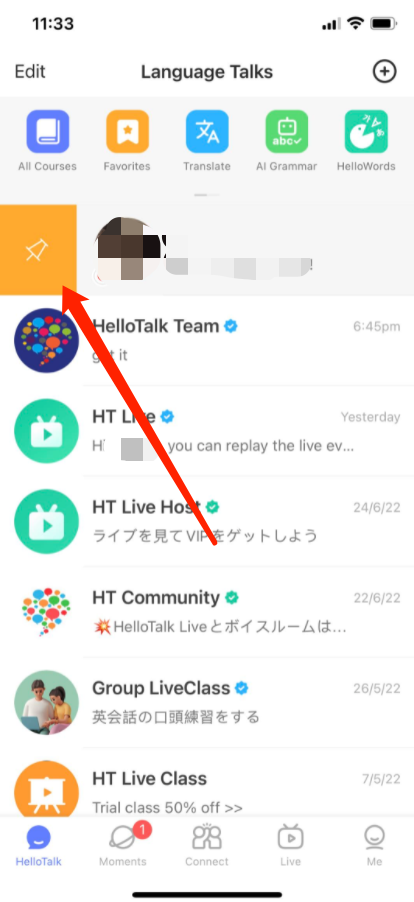
2) iOS: Select any conversation to swipe left or right from the chat list (iOS) to pin it.
 Option 2:
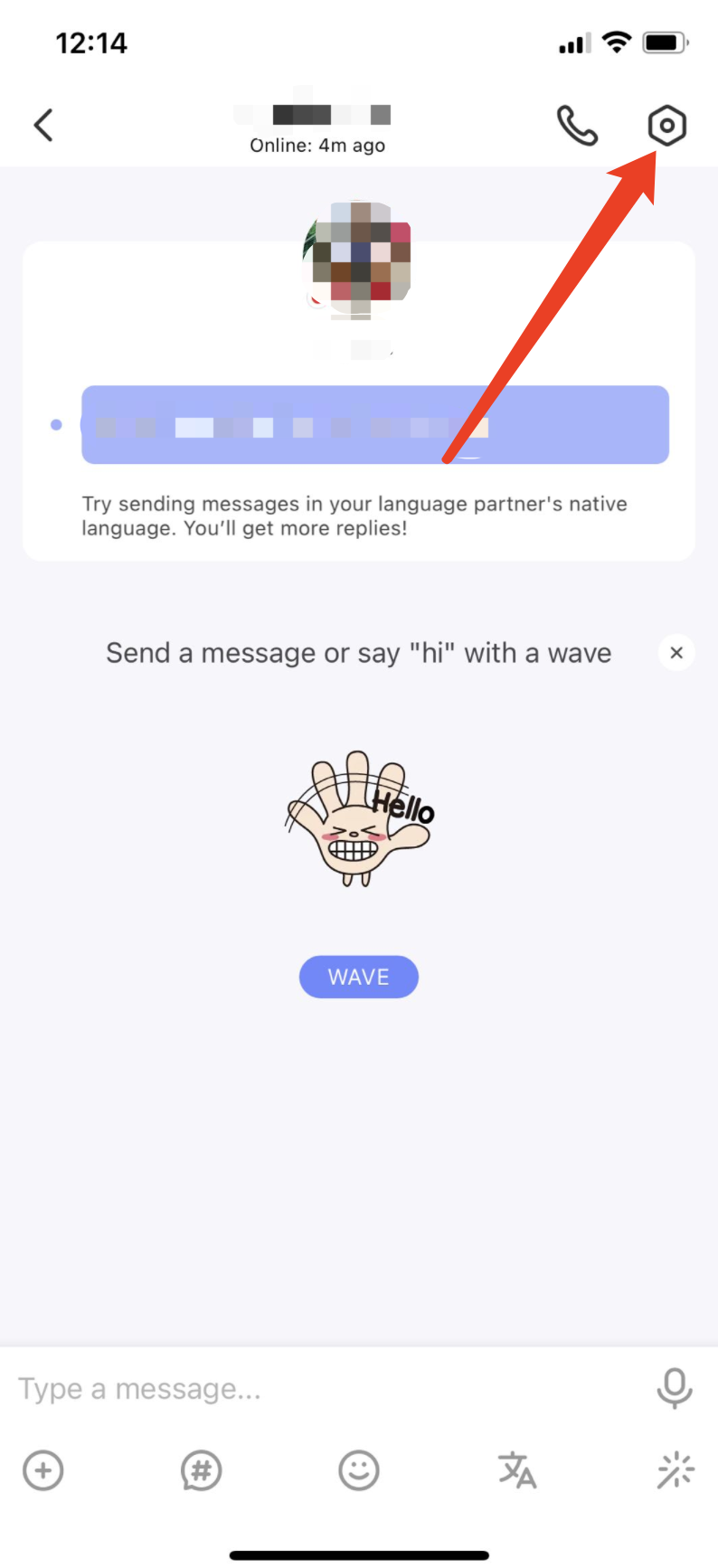
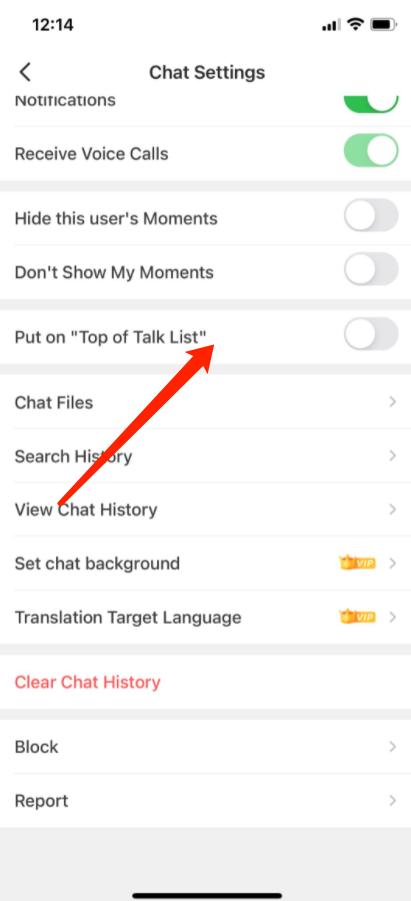
Android and iOS: Tap the "Chat Settings" icon in the upper-right corner of the Chat Window. Toggle "Put on Top of Talk List" on or off to pin the chat to the top of the list.
Option 2:
Android and iOS: Tap the "Chat Settings" icon in the upper-right corner of the Chat Window. Toggle "Put on Top of Talk List" on or off to pin the chat to the top of the list.
Option 2:
Android and iOS: Tap the "Chat Settings" icon in the upper-right corner of the Chat Window. Toggle "Put on Top of Talk List" on or off to pin the chat to the top of the list.
⚠️ This content was dynamically fetched from the API and may not include all formatting features.