
Group Chats
How to remove group members?
You can remove group participants if you’re a group admin.
-
Open the group chat window
-
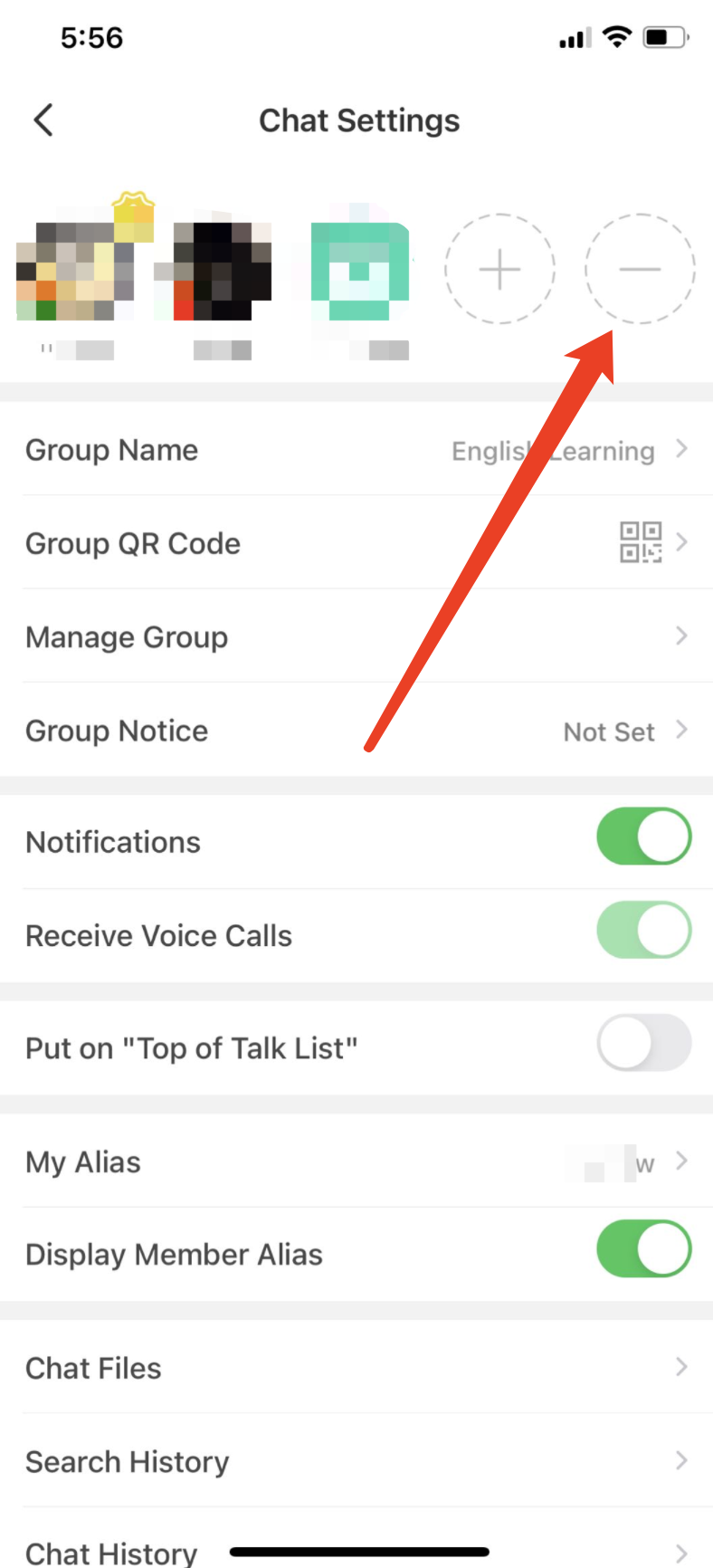
Tap "Chat Settings" in the upper-right corner
-
Tap the "—" icon at the end of the group member list
-
Tap the "—" icon in the group member's avatar to remove the user from the group chat.
Perguntas Relacionadas
Last updated on