
How do I block someone?
Category: Privacy
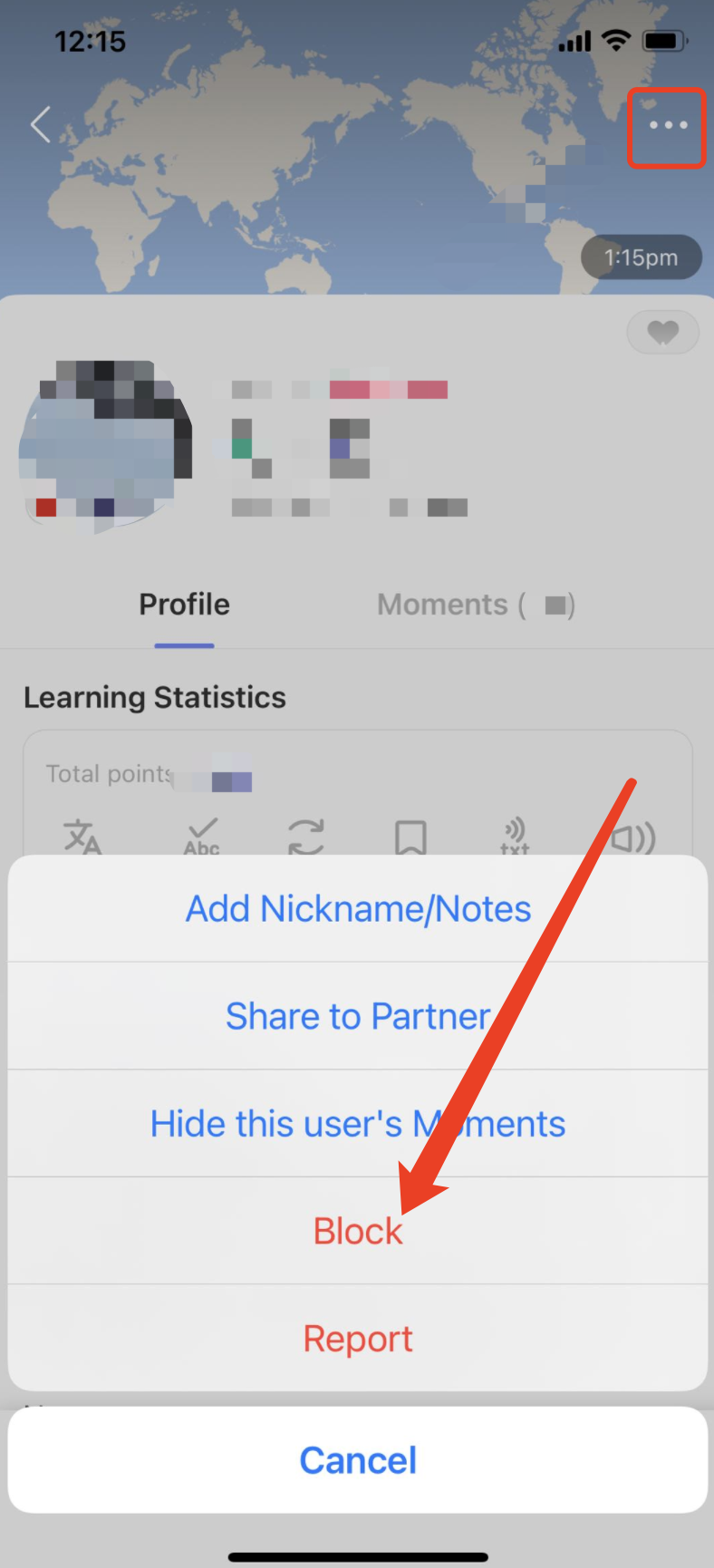
Option 1: Go to the member's profile page that you wish to block, tap the "..." icon in the upper-right corner, and select "Block" from the menu, the member will be moved to your blacklist.
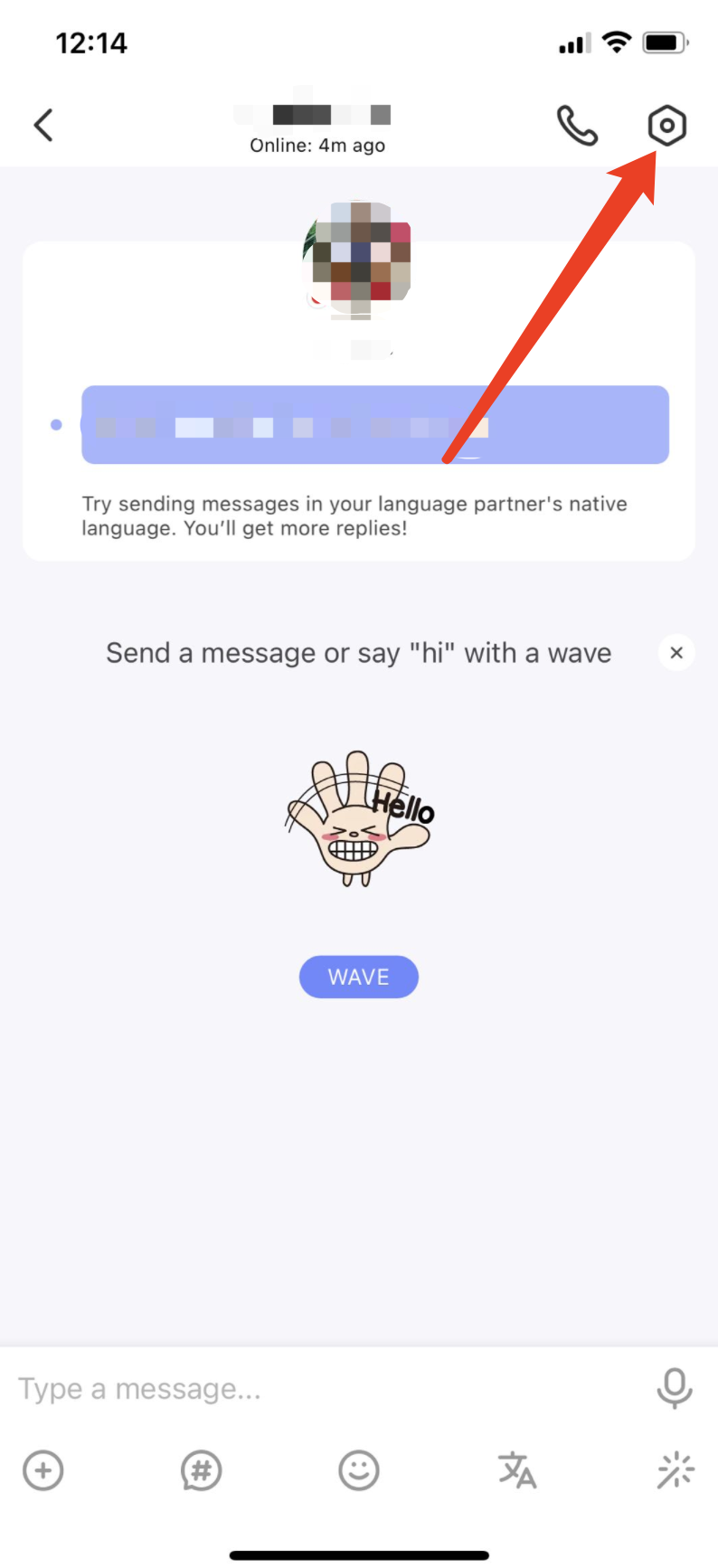
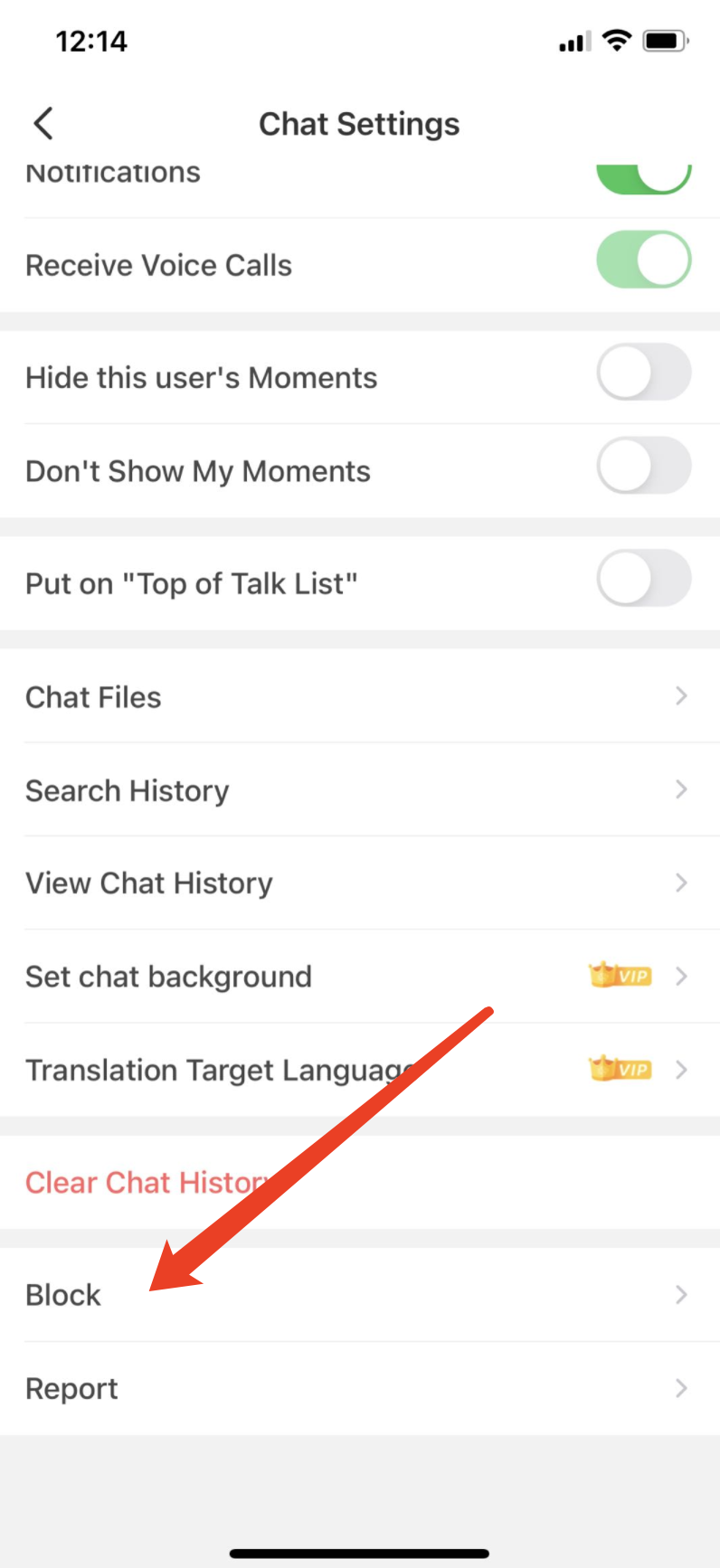
 Option 2: Tap the "Chat Settings" icon in the upper-right corner of the Chat Window, tap "Block" to move the user to your blacklist.
⚠️ This content was dynamically fetched from the API and may not include all formatting features.