
How can I report or block someone?
Category: Block & Report
There are two ways to report someone, either on the screen where you chat with them or on their profile.
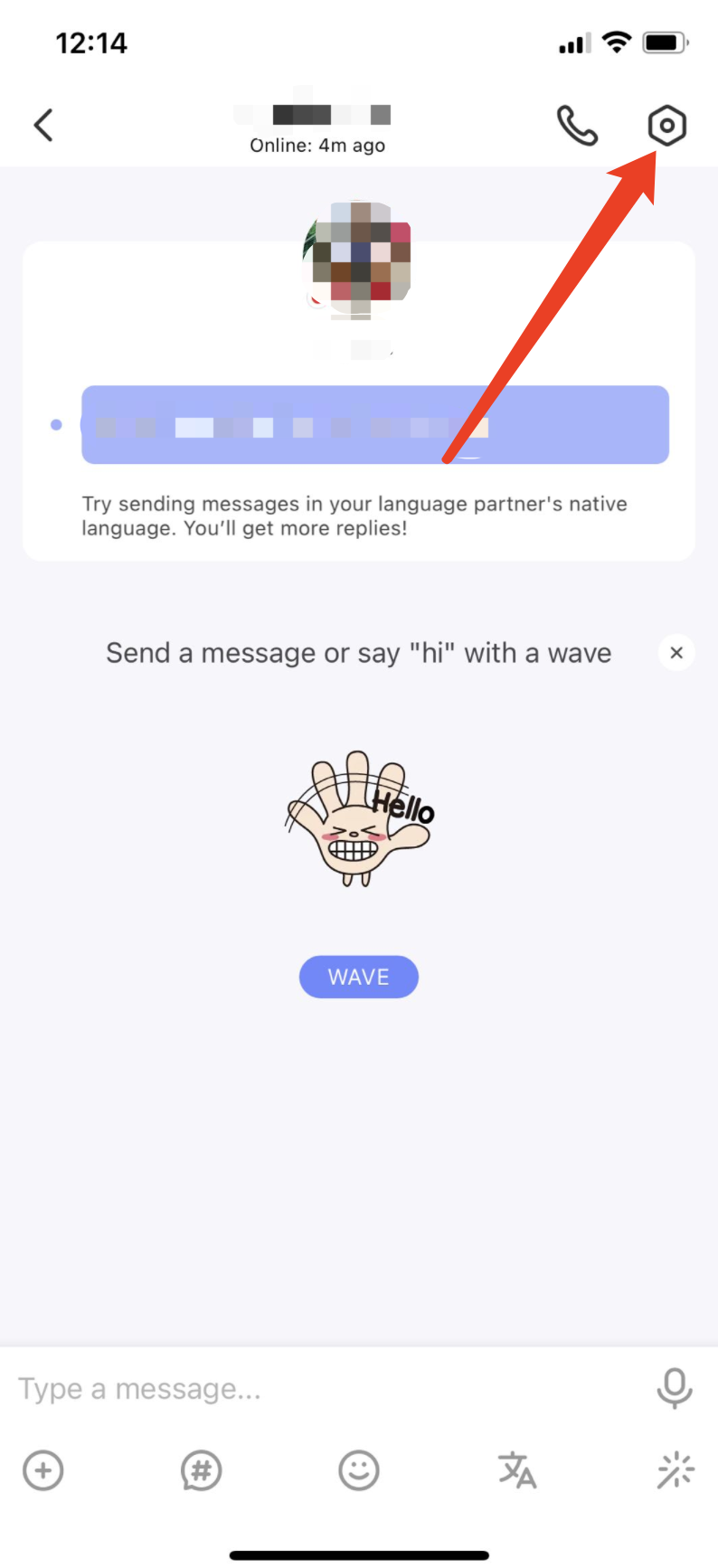
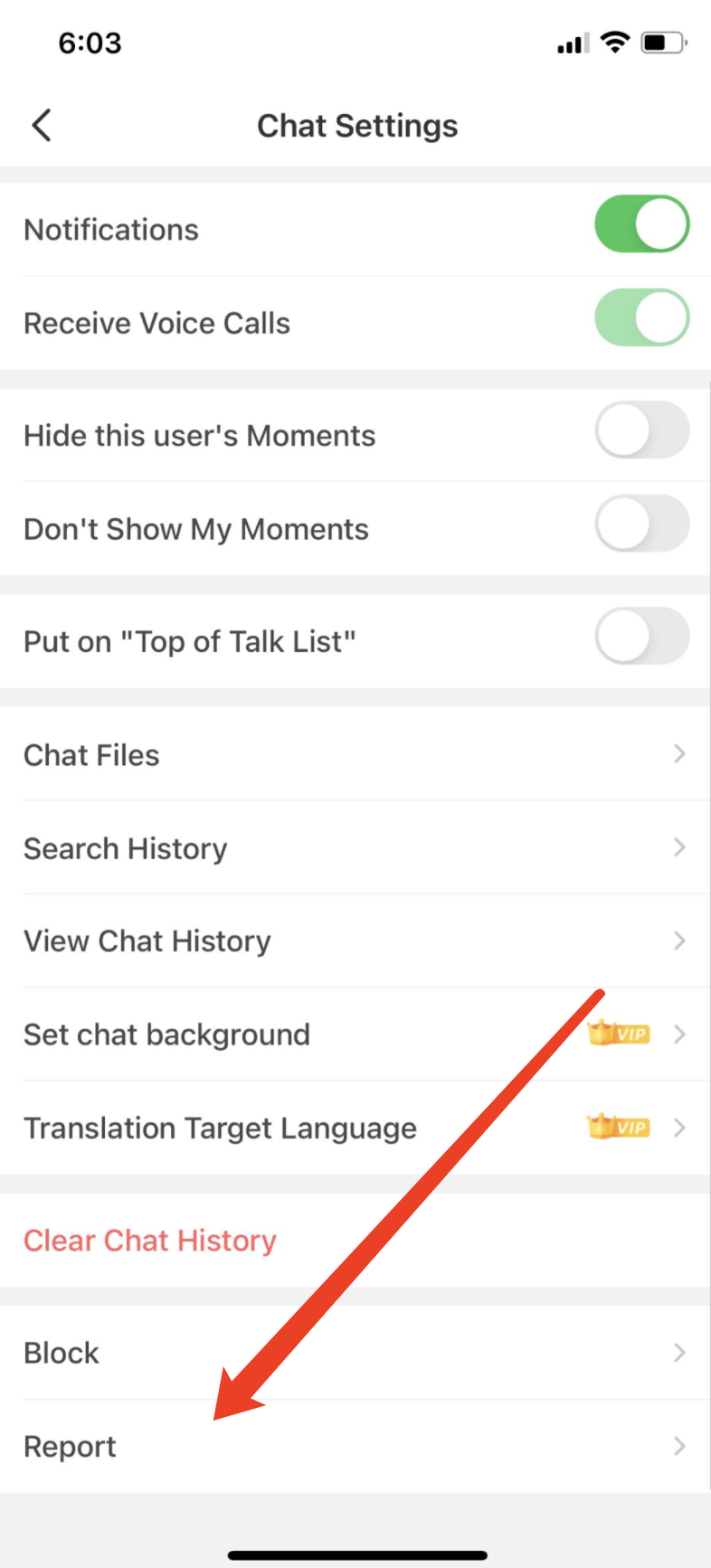
1. To report a member in the chat:
1) Go to "Settings" by tapping the gear icon in the upper-right corner
2) Tap “Report” at the bottom of Chat Settings page
3) Choose one of the report reasons and include as much information as possible
2. To report someone from their profile:
1) Tap the three dots button "..." in the upper-right corner.
2) Choose one of the report reasons and include as much information as possible
In order for the community moderators to review your report as quickly as possible, please remember to attach your conversation history as evidence when making the report.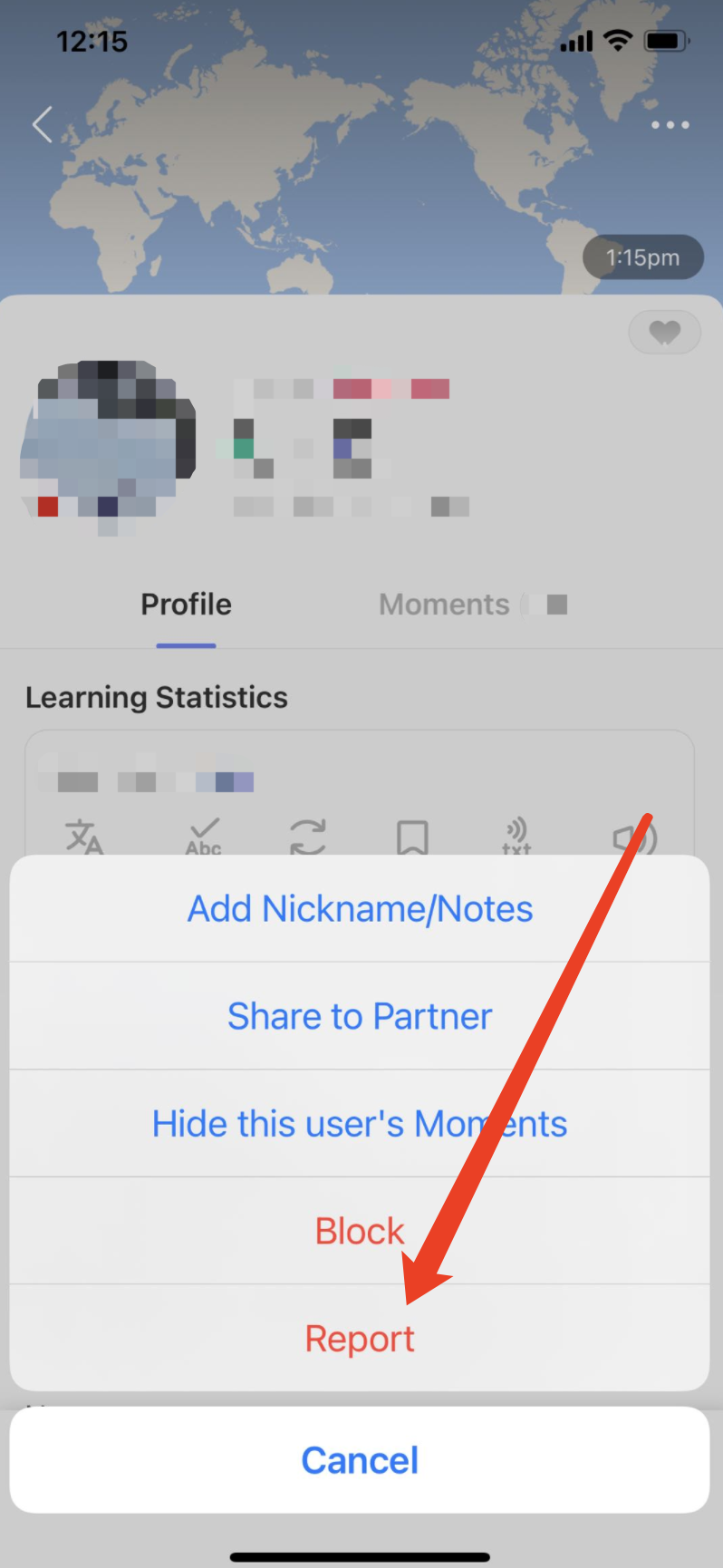
1. To report a member in the chat:
1) Go to "Settings" by tapping the gear icon in the upper-right corner
2) Tap “Report” at the bottom of Chat Settings page
3) Choose one of the report reasons and include as much information as possible
2. To report someone from their profile:
1) Tap the three dots button "..." in the upper-right corner.
2) Choose one of the report reasons and include as much information as possible
In order for the community moderators to review your report as quickly as possible, please remember to attach your conversation history as evidence when making the report.
⚠️ This content was dynamically fetched from the API and may not include all formatting features.