
I forgot my password. How can I reset it?
Category: Account
You can reset your password by clicking "Forgot Password" on the login page. Next, follow the steps to reset your password and use your new password to log back in.
If you've already logged in, you can reset your password by following these steps:
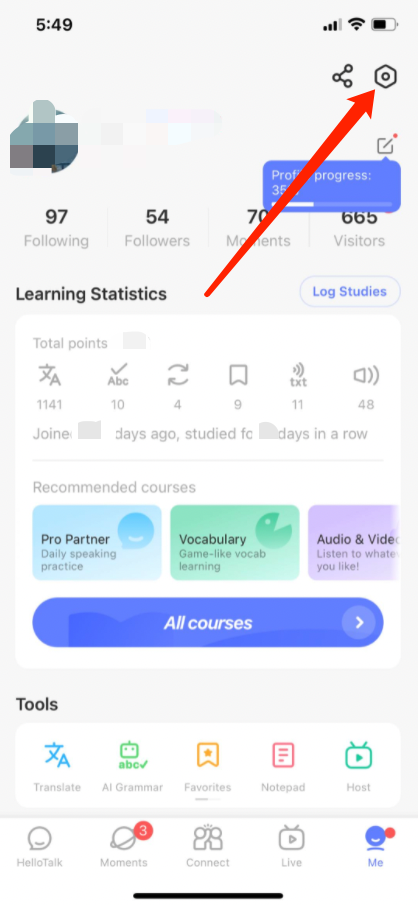
1) Go to the "Me" tab to view your profile
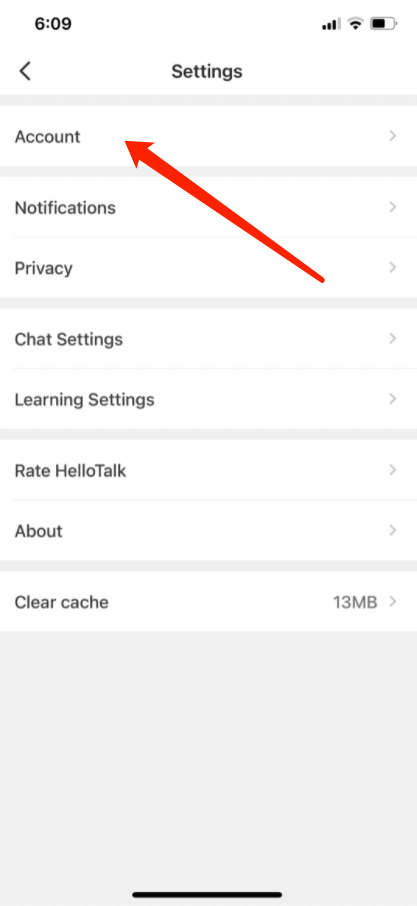
2) Go to "Settings" by tapping the gear icon in the upper-right corner
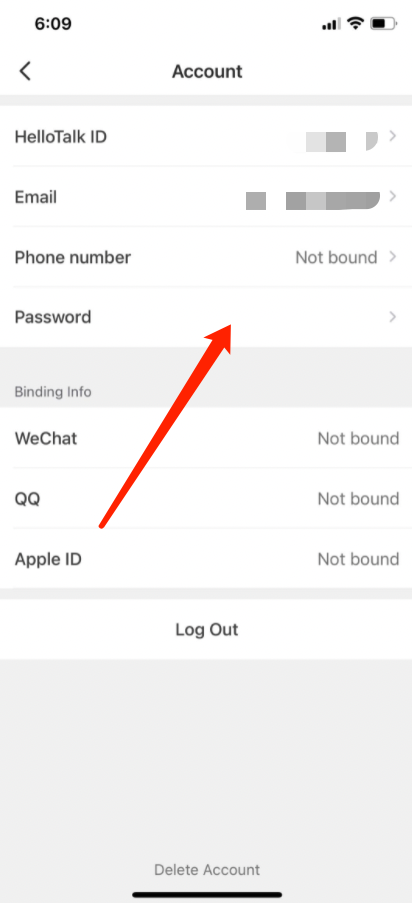
3) Go to the "Account" page
4) Click on "Password" to reset your password
Note: If your registration email address is invalid or incorrect, please change it first by going to "Me" > "Settings" > "Account" > "Email", and then reset your password
⚠️ This content was dynamically fetched from the API and may not include all formatting features.