
How to remove group members?
Category: Group Chats
You can remove group participants if you’re a group admin.
1) Open the group chat window
2) Tap "Chat Settings" in the upper-right corner
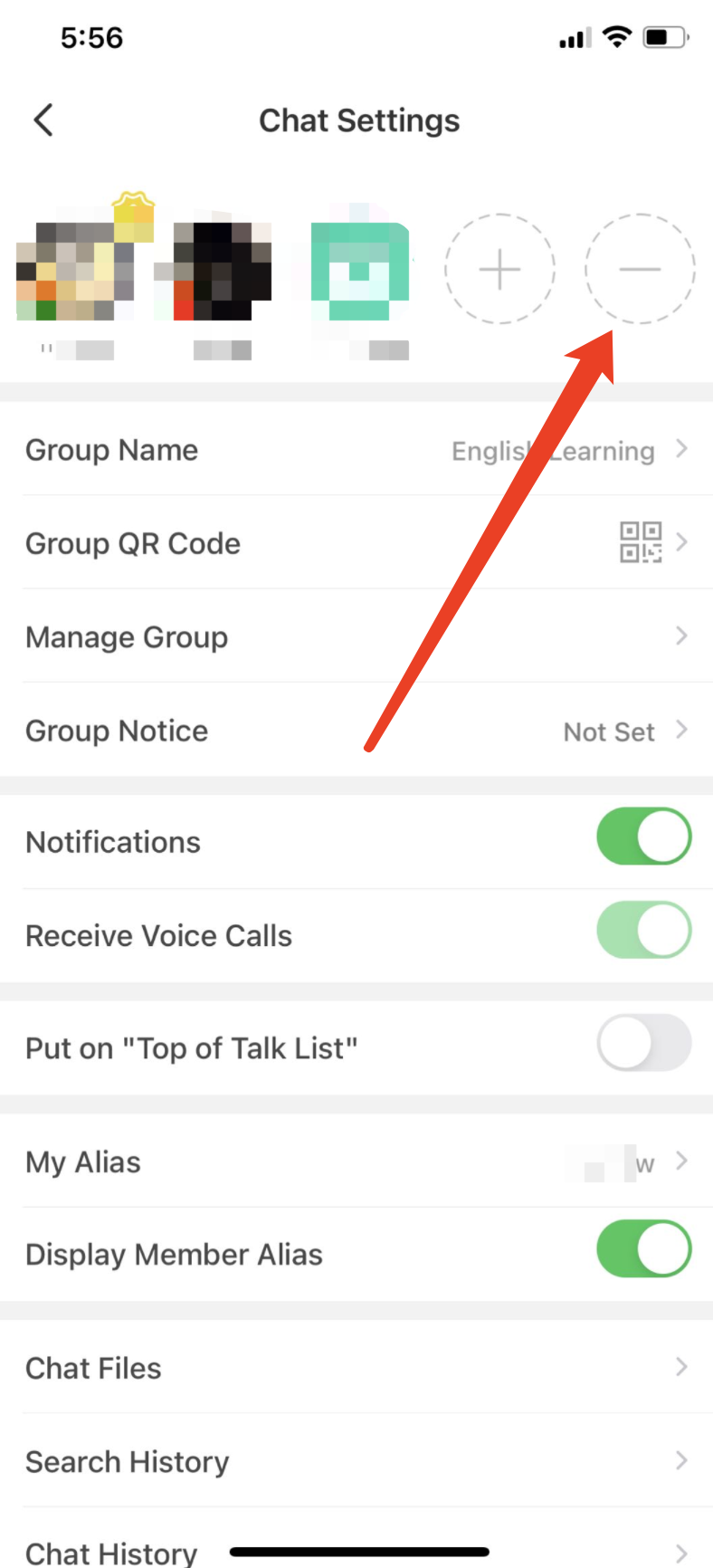
3) Tap the "—" icon at the end of the group member list
4) Tap the "—" icon in the group member's avatar to remove the user from the group chat.
⚠️ This content was dynamically fetched from the API and may not include all formatting features.